Maxed-out HP z800 RAM: 384 GB of DDR3

In our lab we have 2 x HP z800 workstations. It is somehow ridiculous piece of hardware in terms of today standards. It’s got over 1 kW power supply, dual CPU motherboard and 12 memory slots. It is loud, draws loads of power and it’s got comparable gen 1 Intel CPUs as well as DDR3 – slow – memory. However it costs close to nothing and it is suitable for most small and mid applications.

Official documentation says that the maximum memory capacity is 192GB of DDR3, which is 12 x 16 GB sticks working at 800 MHz. If we are interested in higher speeds, then we go to 96GB at 1067 MHz using 16GB sticks or 1333 MHz at all 8GB sticks. Currently (2025) DDR5 memory works up to 8800 MT/s, so it is roughly 10 times faster, however with higher latencies. Much higher clock speeds compensates higher latencies.

Even though having 384GB of DDR3 is a lot for regular computing like application servers, mail servers, file storage, surveillance etc. At our lab we are using this server for data mining which includes Docker containers as well as database servers (various types).
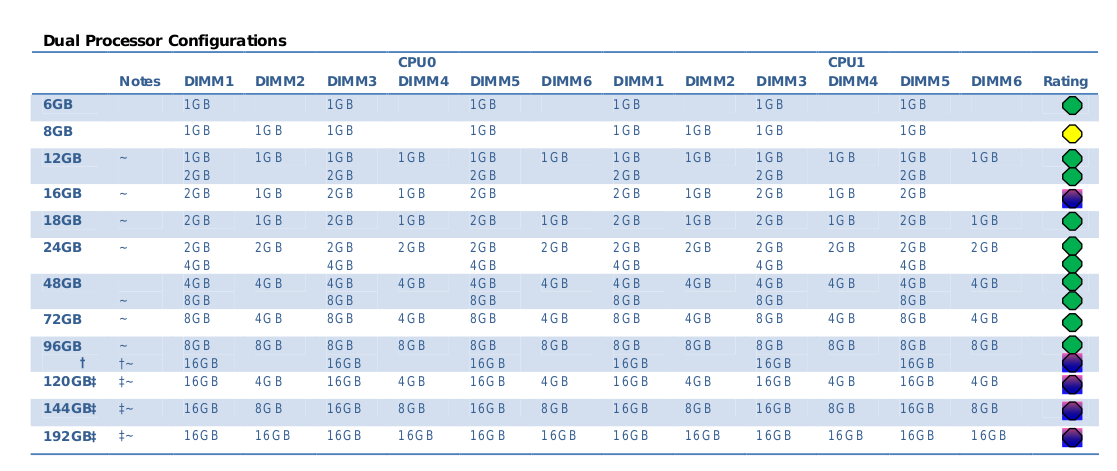
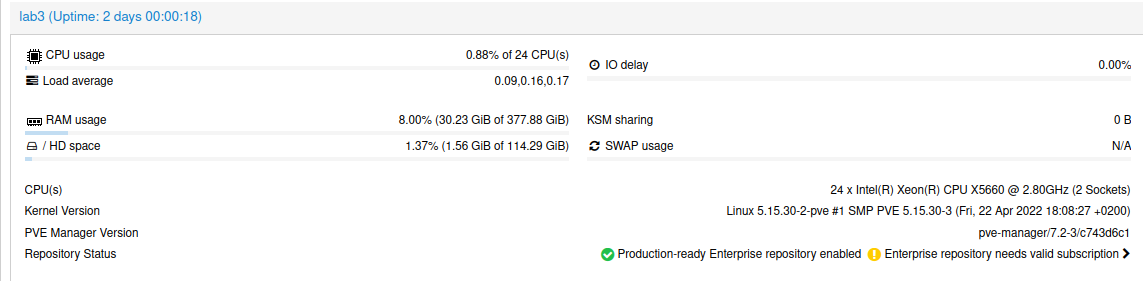
However, we can put more memory than 192GB. We put as twice as much. Actually, installing Intel Xeon x5660 we would be able to handle as much as 288GB per CPU giving 576 GB of RAM in total. But we have only 12 memory slots and maximum capacity of memory module is 32GB. If we would have 18 memory slots then we would be able to put 576 GB, but with 12 memory slots we are able to place “only” 384GB.
HP z800 motherboard and Xeon CPUs take both unbuffered and registered DIMMs but not at the same time. So be sure to buy only one type, which I think it should be either 8500R or 10600R. Is is not worth to buy faster DIMMS as they still will be working at 800MT/s.

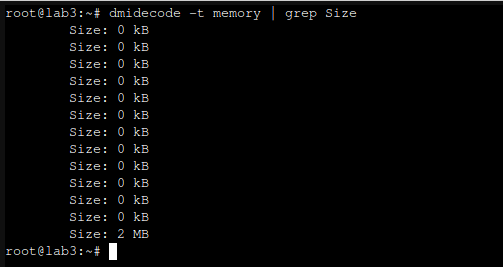
One important quirk regarding 32GB DDR3 memory sticks is that they are not recognized properly but dmidecode:
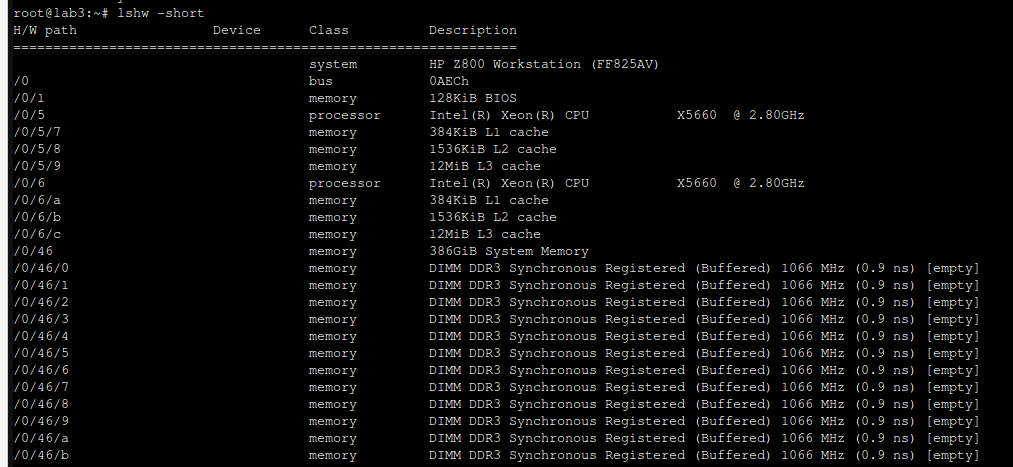
Same thing with lshw:
To access 12 x memory slots you need to remove double fan case. Moreover each memory module contains metal plate for heat dissipation. It can get really hot if put under heavy load.
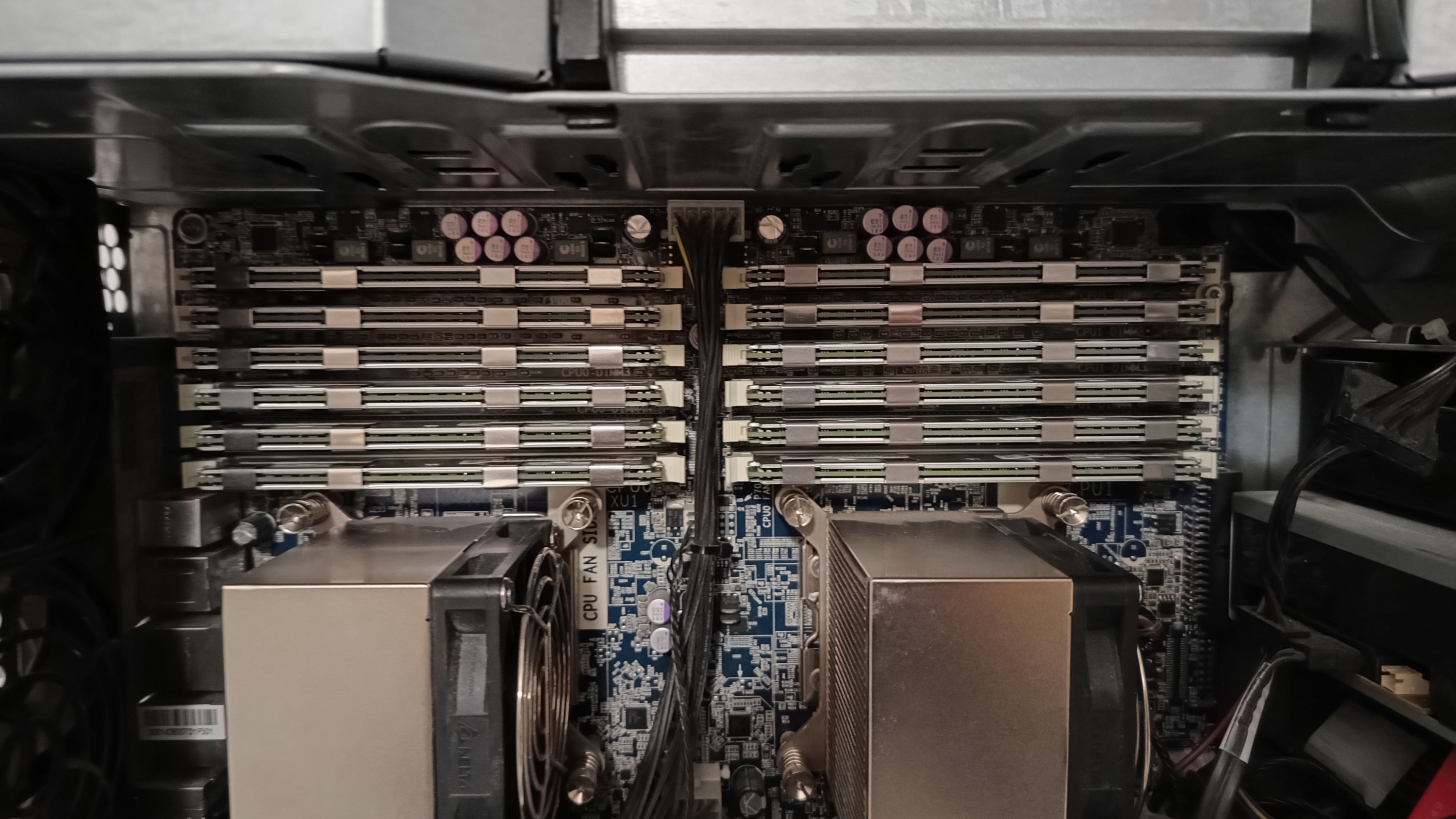
BIOS says that everything is fine. All DIMMS are recongnized. Each Xeon x5660 and x5690 has 3 memory channels so be sure to place same type/speed/latency memory module in 2 consecutive memory slots. As per documentation there is preffered way to populate memory sticks in case of placing less than maximum number of them, so be sure to either place 12x same sticks or follow documentation to have the most close confiugration.
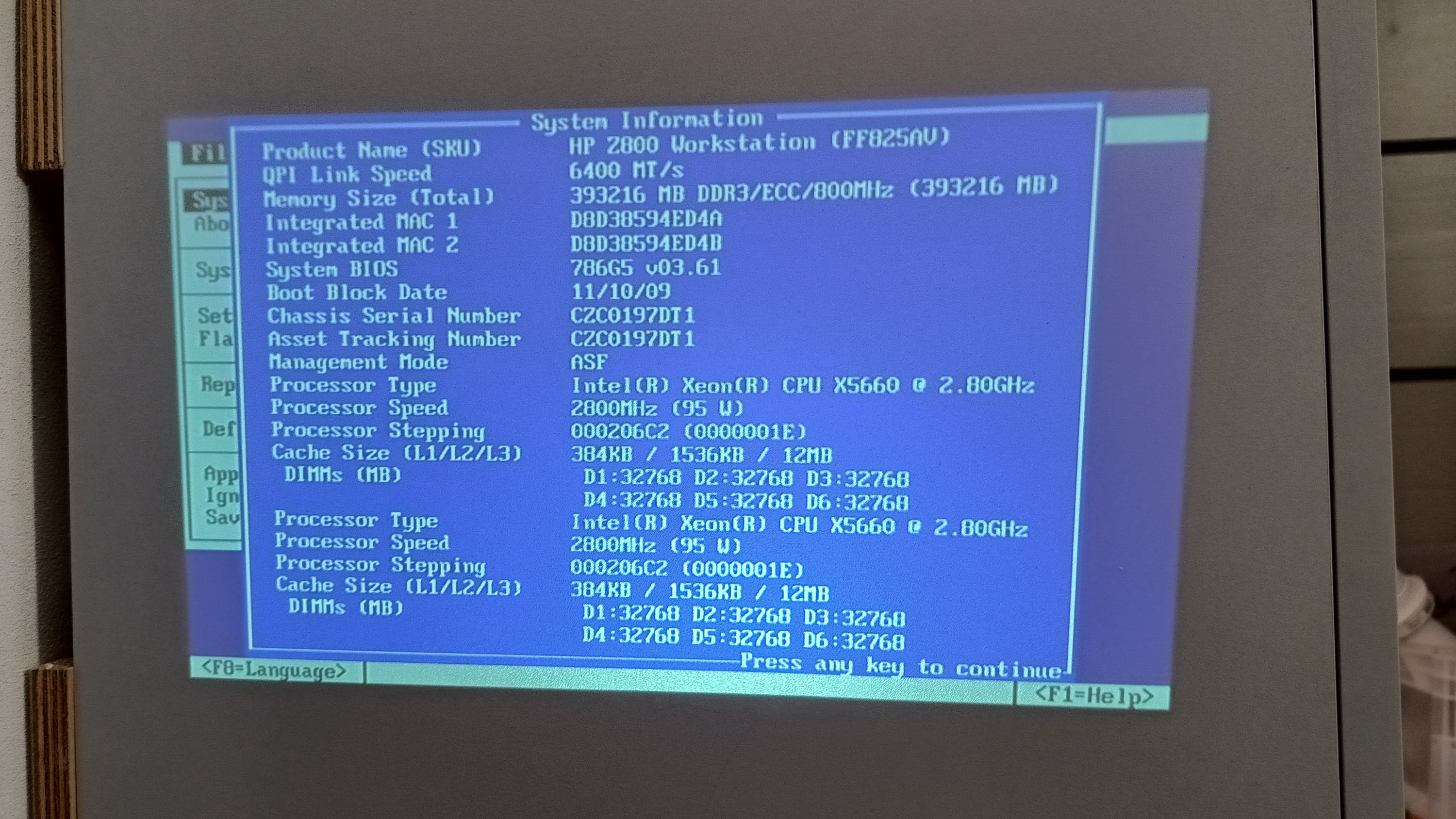
To try installing 384GB of RAM I was inspired by https://www.youtube.com/watch?v=AoS0kX82vs4 – it worked out! Finall note. Regular market price of 32GB DDR3 sticks varies between 50 and 300 PLN (10 – 70 EUR). However I was able to find 24 sticks (as I we have 2 such servers) for as low as 7 EUR per stick. Few years back it would be cost of 1600 EUR, today it was 160 EUR.

PostgreSQL streaming replication with physical replication slot

Create dedicated replication user:

CREATE ROLE replica WITH REPLICATION PASSWORD 'xxxYYYzzz' LOGIN;

Then add physical replication slot, in order to stay in sync with WAL. Without it, if applying logs on replica will be too slow, main server could drop logs which replica did not consume yet, leading to broken replication:

select pg_create_physical_replication_slot('replica');

Then stop replica server and remove PGDIR/VERSION/main folder. Start copying:

pg_basebackup -D /var/lib/postgresql/14/main -P --wal-method=stream -R --checkpoint=fast -U replica --slot=replica -W -h a.b.c.d

Adjust configuraton discrepancies between main and replica servers, such connections limit and then start replica server.

To verify replication status, run on main server:

 select * from pg_replication_slots;

Sentry: broken transactions section

Managing self-hosted Sentry is pretty straightforward. However due to high number of containers which Sentry is comprised of, there is high chance that we can encounter some kind of issues due to obvious nature of software development products which consists by definition some flaws.

So this time Sentry is getting traffic from embedded agents but payload is not complete. It lacks processing of transactions. So first we need to dive into Kafka groups. With the following, we can inspect the state of topics:

docker compose run --rm kafka kafka-consumer-groups --bootstrap-server kafka:9092 --all-groups --describe

We can learn that something is out of date or nothing processes some topics. So using docker compose exec kafka bash we can start shell in kafka container and then delete failed topics:

kafka-topics --bootstrap-server kafka:9092 --delete --topic ingest-transactions
kafka-topics --bootstrap-server kafka:9092 --delete --topic ingest-performance-metrics
kafka-topics --bootstrap-server kafka:9092 --delete --topic ingest-metrics

There might be lag, wrong offset or any other kind of issue with consumer of beforementioned topics. Sentry software will recreate those topics and your performance metric will again start to show up in Sentry UI.

CentOS 7.9.2009 repository configuration

As for year 2025 there is no more updates for CentOS 7.9.2009. Moreover you need to adjust repository file as network locations changed a little bit. So edit /etc/yum.repos.d/CentOS-Base.repo as follows:

[base]
name=CentOS-$releasever - Base
baseurl=https://vault.centos.org/7.9.2009/os/$basearch/
gpgcheck=1
gpgkey=file:///etc/pki/rpm-gpg/RPM-GPG-KEY-CentOS-7
enabled=1

[updates]
name=CentOS-$releasever - Updates
baseurl=https://vault.centos.org/7.9.2009/updates/$basearch/
gpgcheck=1
gpgkey=file:///etc/pki/rpm-gpg/RPM-GPG-KEY-CentOS-7
enabled=1

[extras]
name=CentOS-$releasever - Extras
baseurl=https://vault.centos.org/7.9.2009/extras/$basearch/
gpgcheck=1
gpgkey=file:///etc/pki/rpm-gpg/RPM-GPG-KEY-CentOS-7
enabled=1

[centosplus]
name=CentOS-$releasever - CentOSPlus
baseurl=https://vault.centos.org/7.9.2009/centosplus/$basearch/
gpgcheck=1
gpgkey=file:///etc/pki/rpm-gpg/RPM-GPG-KEY-CentOS-7
enabled=0

Then recreate yum cache:

sudo yum clean all
sudo yum makecache

And if necessary:

sudo yum update yum

Now you are good to go with packages installation. If installing rkhunter, remember to install epel-release and then

sudo yum install rkhunter --enablerepo epel

in case you did no enable EPEL to be enable by default which is the most probably situation.