Hello. I’m Michael, I’m IT professional and enthusiast.
I graduated computer programming as well as economics at Szkoła Główna Handlowa in Warsaw. I’m author of 5 books concerning software design, development, quality assurance and performance. Since 2005 I have been working with many different companies providing them with various aspects of software development process. I’m specifically interested in corporate architecture but also in bootstraping new startup ideas.
My motto is “getting things done” and I like to learn new things. Would you like to build something special? Contact me.
Did you know that you may block AI-related web-scrapers from downloading your whole websites and actually stealing your content. This way LLM models will need to have different data source for learning process!
Why you may ask? First of all, AI companies make money on their LLM, so using your content without paying you is just stealing. It applies for texts, images and sounds. It is intellectual property which has certain value. Long time ago I placed on my website a license “Attribution-NonCommercial-NoDerivatives” and guest what… it does not matter. I did not receive any attribution. Dozens of various bot visit my webiste and just download all the content. So I decided…
… to block those AI-related web-crawling web-scraping bots. And no, not by modyfing robots.txt file (or any XML sitemaps) as it might be not sufficient in case of some chinese bots as they just “don’t give a damn”. Neither I decided to use any kind of plugins or server extenstions. I decided to go hard way:
And decide to which exactly HTTP User Agent (client “browser” in other words) I would like to show middle finger. For those who do not stare at server logs at least few minutes a day, “Bytespider” is a scraping-bot from ByteDance company which owns TikTok. It is said that this bot could possible download content to feed some chinese LLM. Chinese or US it actually does not matter. If you would like to use my content, either pay me or attribute usage of my content. How you may ask? To be honest I do not know.
There is either hard way (as with NGINX blocking certain UA) or diplomacy way which could lead to creating a websites catalogue which do not want to participate in AI feeding process for free. I think there are many more content creators who would like to get some piece of AI birthday cake…
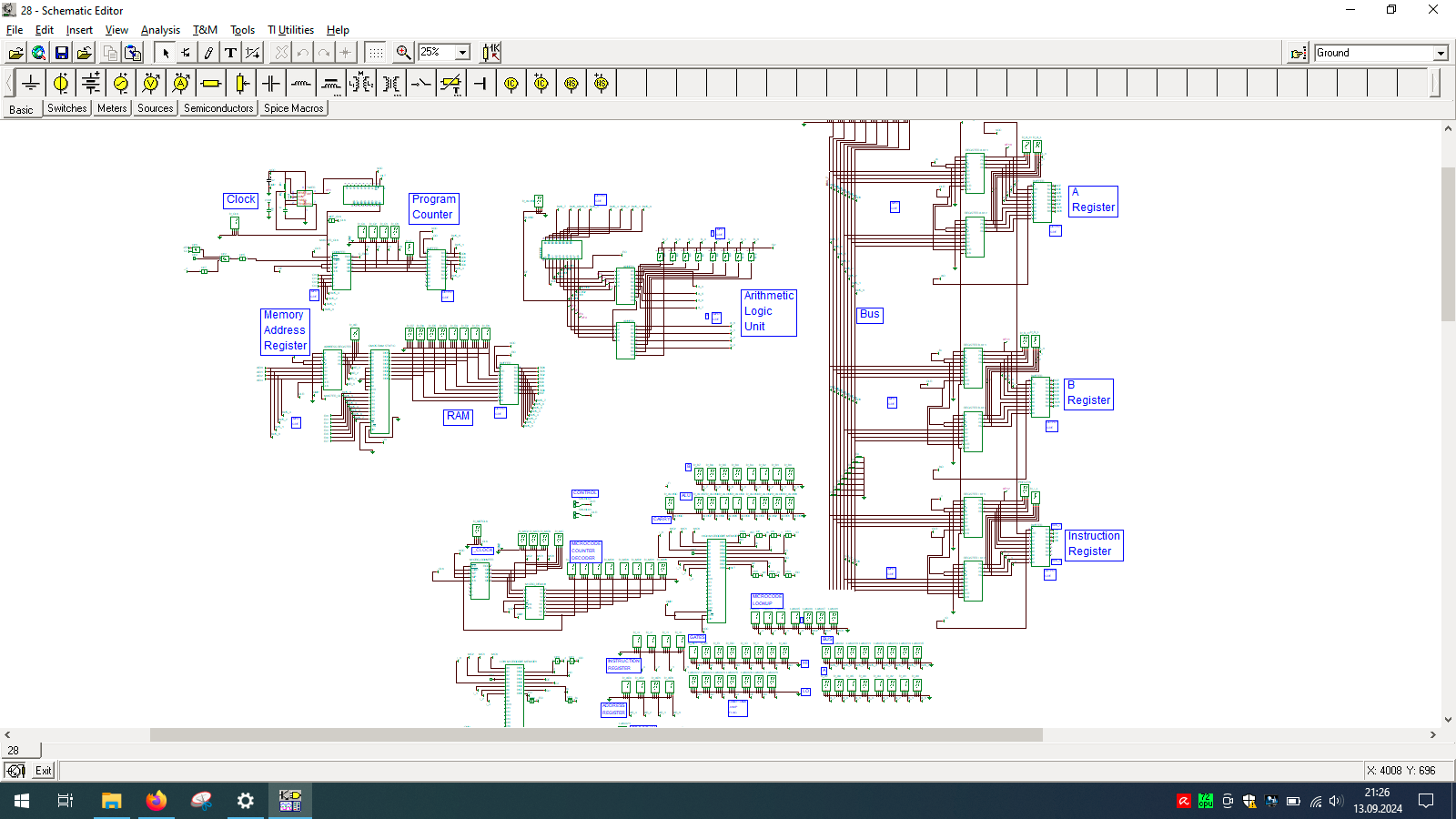
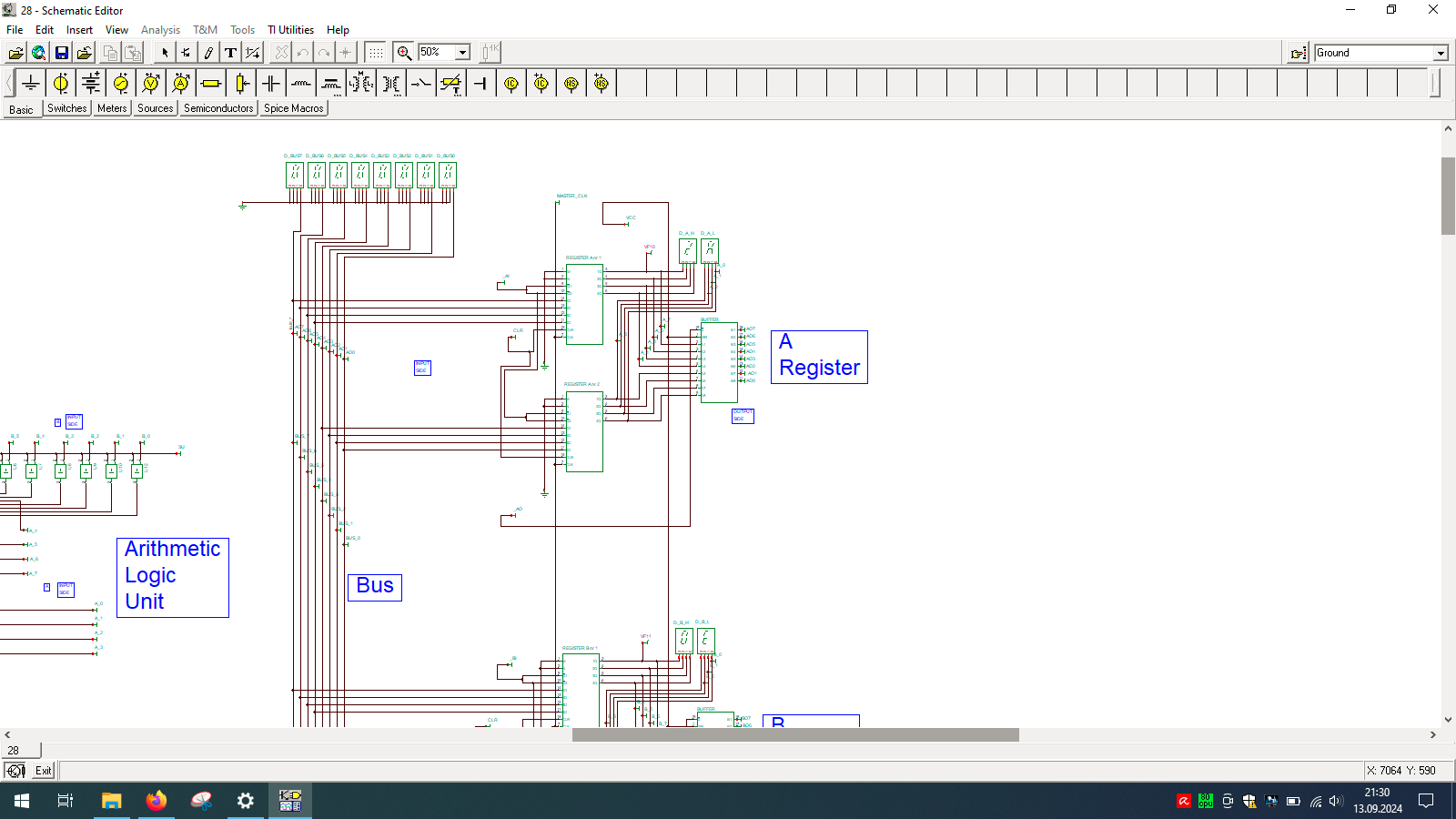
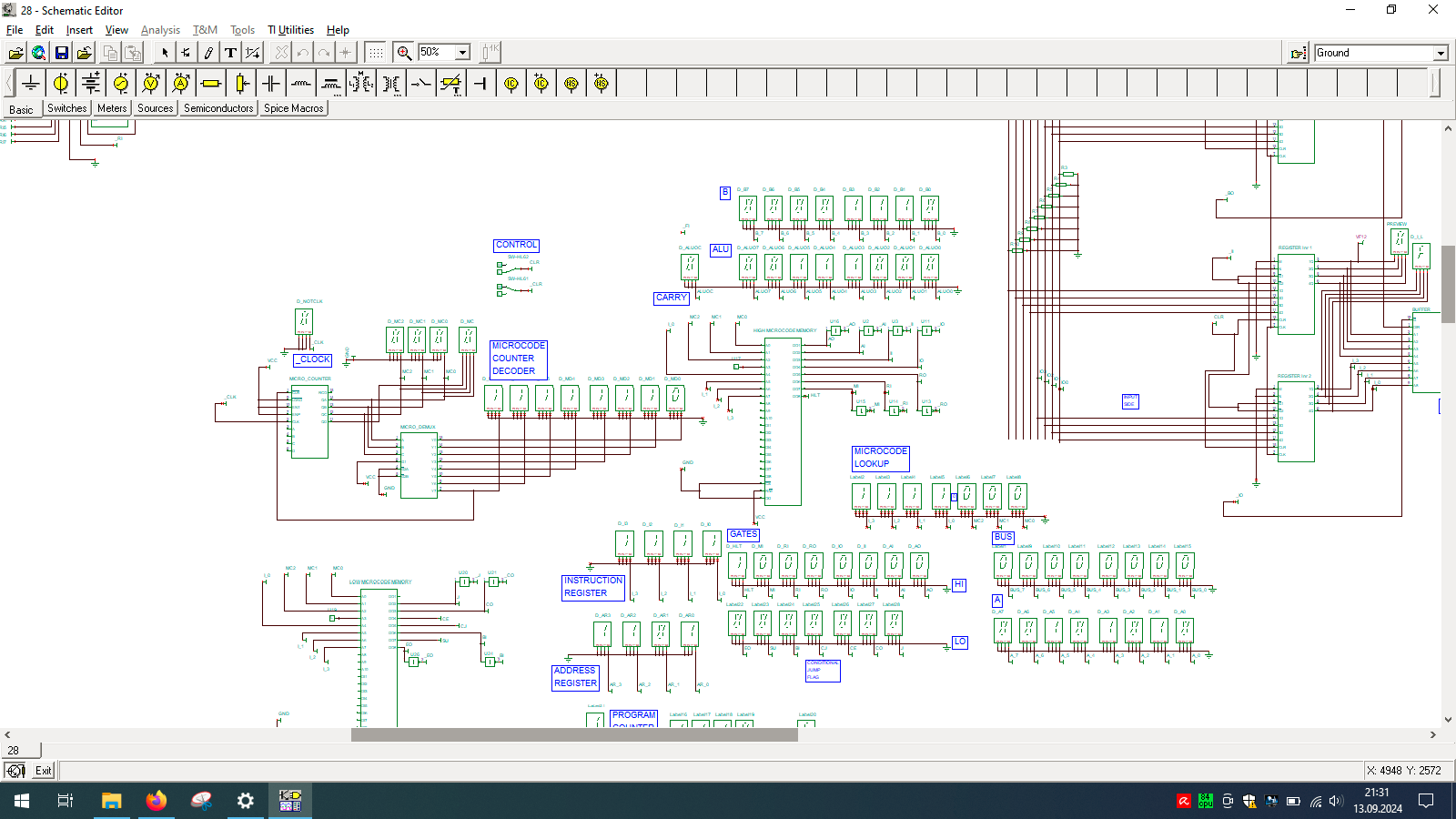
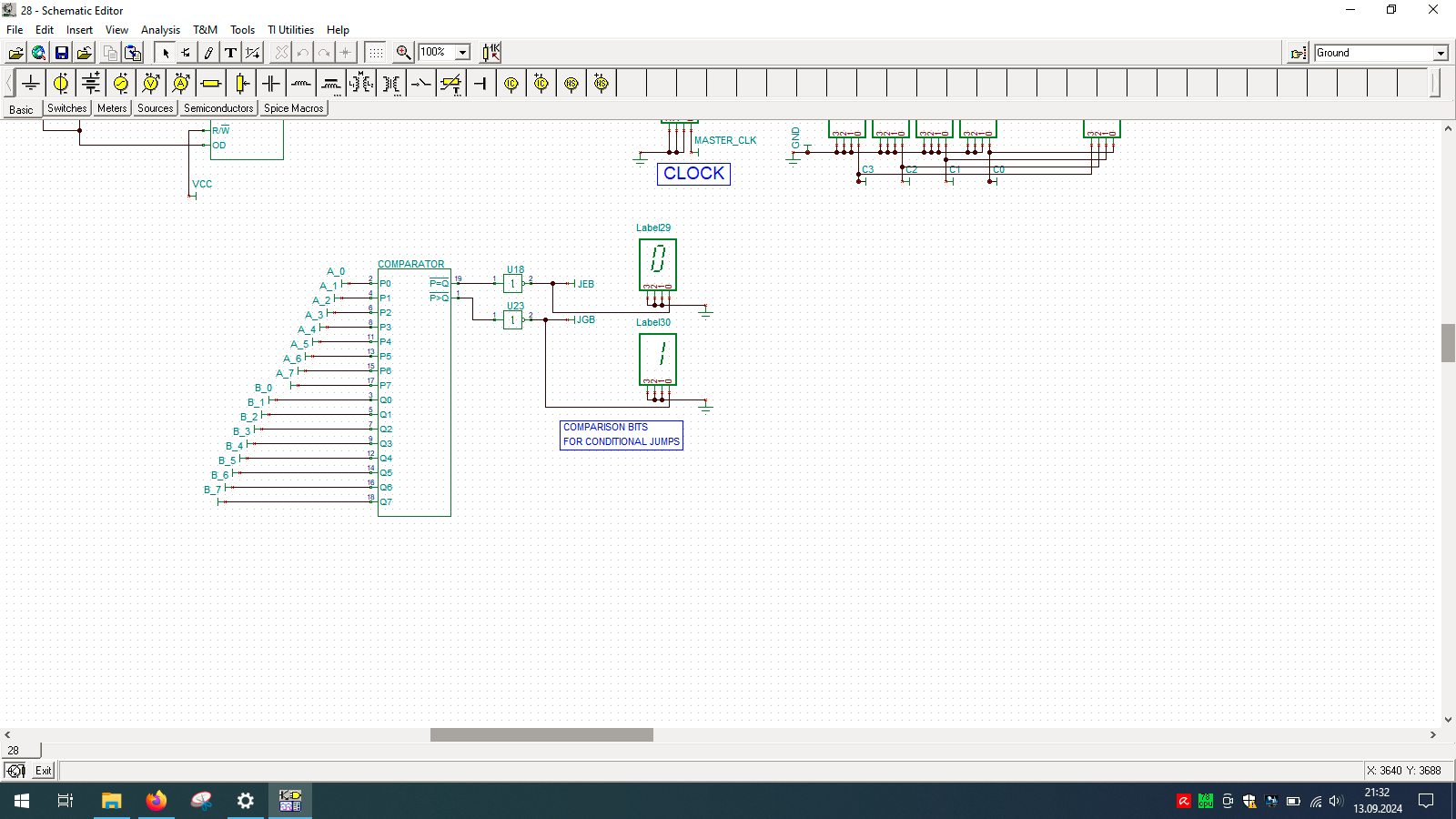
Even wondered how computer is built? And no, I’m not talking about unscrewing your laptop… but exactly how the things happen inside the CPU. If so, then check out TINA from Texas Instruments and open my custom-made all-in-one computer.
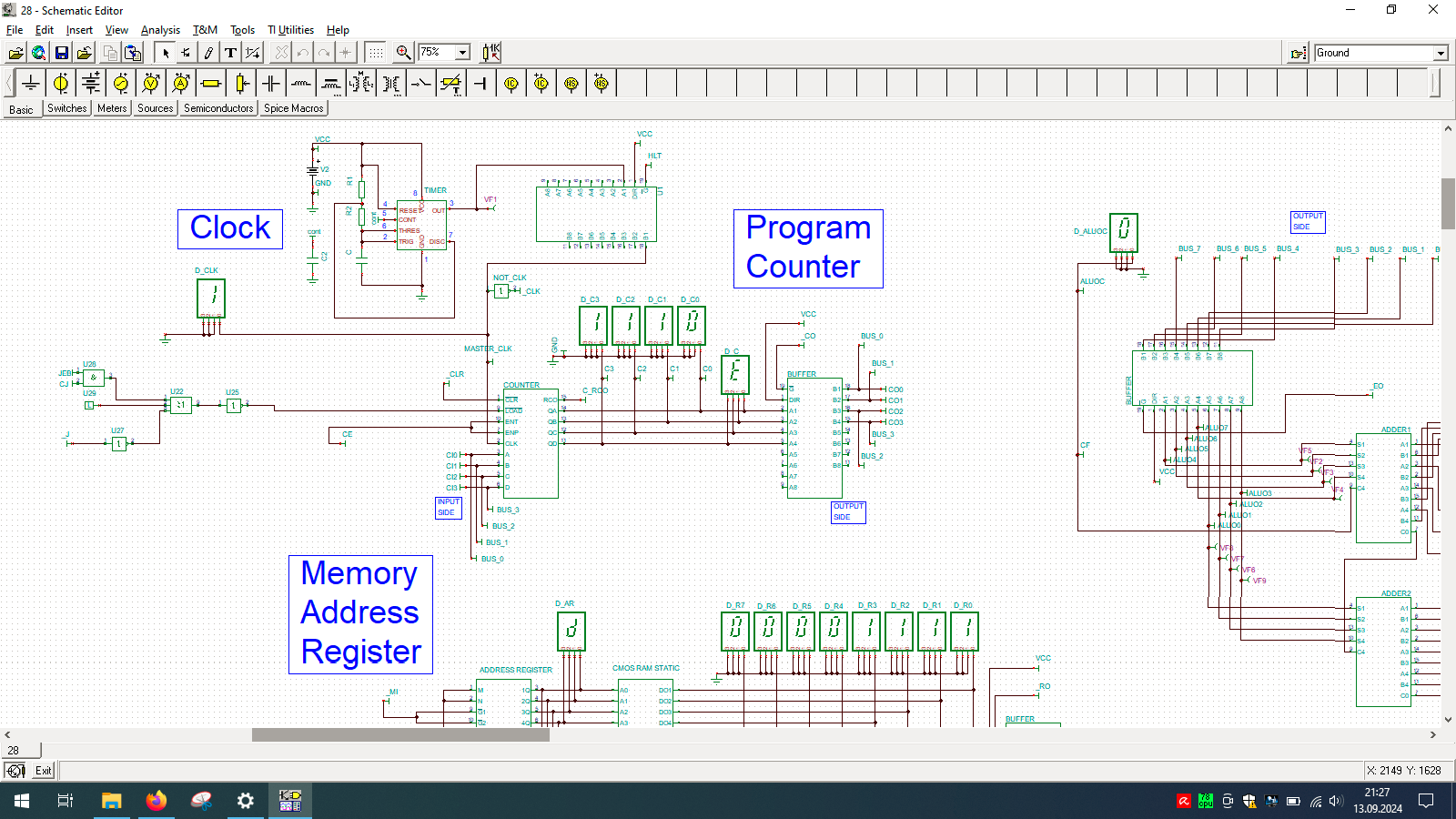
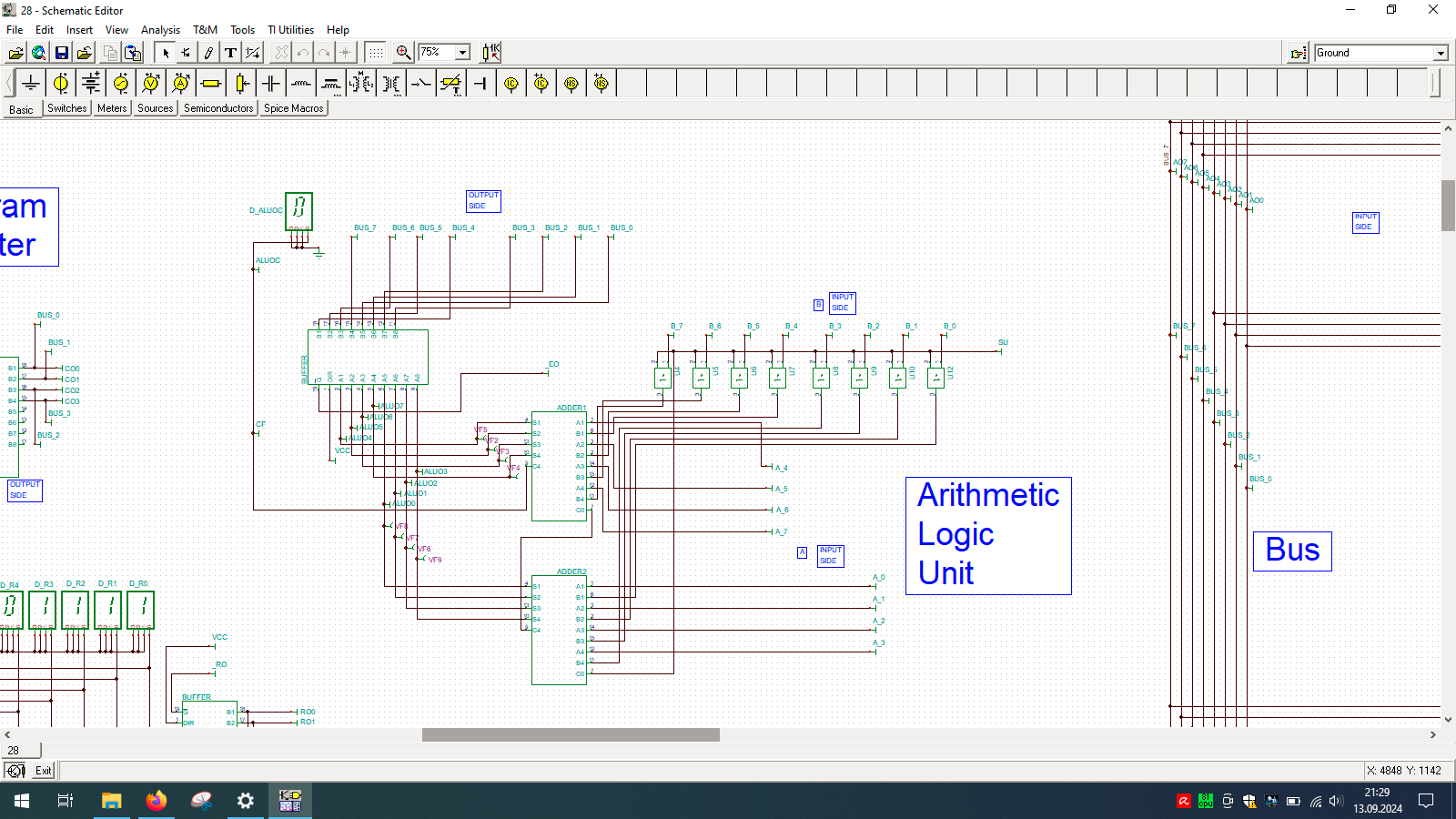
I spend few weeks preparing this schematic. It contains clock, program counter, memory address register, RAM, ALU, A&B registers, instruction register, microcode decoder, instruction register, address register and program counter. Well that’s a lot ot stuff you need to build 8-bit data and 4-bit address computer, even in simulator.
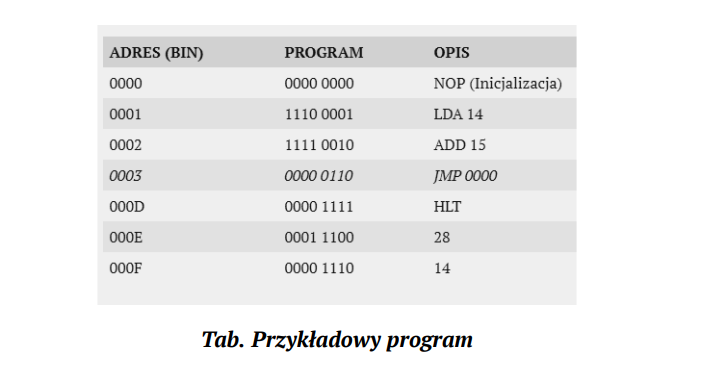
Sample program in my assembly + binary representation, which needs to be manually enter into memory in the simulator as there is input and output device designed for this machine. You need to program directly into memory and read its results also directly from the same memory but in different region.
Asking BLOOM-560M “what is love?” it replies with “The woman who had my first kiss in my life had no idea that I was a man”. wtf?!
Intro
I’ve been into parallel computing since 2021, playing with OpenCL (you can read about it here), looking for maximizing devices capabilities. I’ve got pretty decent in-depth knowledge about how computational process works on GPUs and I’m curious how the most recent AI/ML/LLM technology works. And here you have my little introduction to LLM topic from practical point-of-view.
Course of Action
BLOOM overview
vLLM
Transformers
Microsoft Azure NV VM
What’s next?
What is BLOOM?
It is a BigScience Large Open-science Open-access Multilingual language model. It based on transformer deep-learning concept, where text is coverted into tokens and then vectors for lookup tables. Deep learning itself is a machine learning method based on neural networks where you train artificial neurons. BLOOM is free and it was created by over 1000 researches. It has been trained on about 1.6 TB of pre-processed multilingual text.
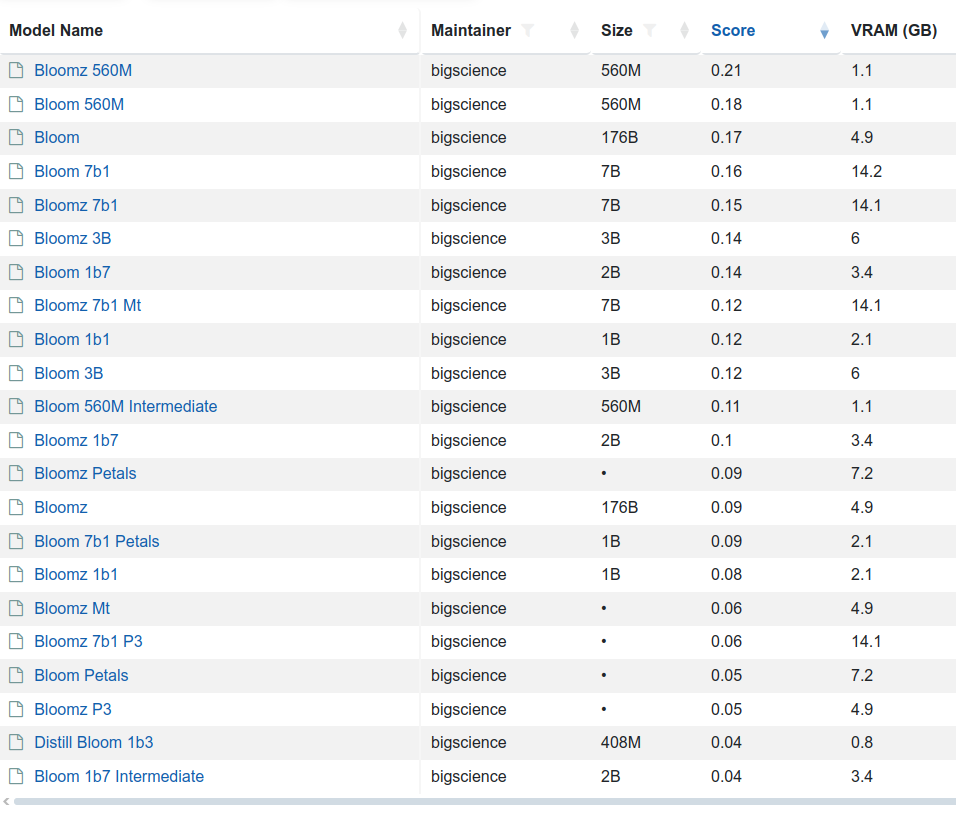
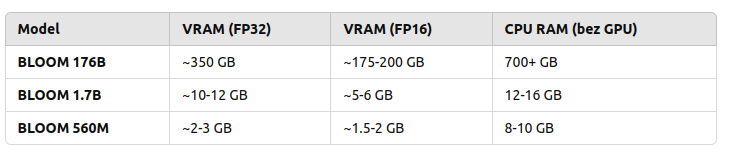
There are few variants of this model 176 billion elements (called just BLOOM) but also BLOOM 1b7 with 1.7 billion elements. There is even BLOOM 560M:
to load and run 176B you need to have 350 GB VRAM with FP32 and half with FP16
to load and run 1B7 you need somewhere between 10 and 12 GB VRAD and half with FP16
So in order to use my NVIDIA GeForce RTX 3050 Ti with 4GB RAM I would either need to run with BLOOM 560M which requires 2 to 3 GB VRAM and even below 2 GB VRAD in case of using FP16 mixed precision or… use CPU. So 176B requires 700 GB RAM, 1B7 requires 12 – 16 GB RAM and 560M requires 8 – 10 GB RAM.
Are those solid numbers? Lets find out!
vLLM
“vLLM is a Python library that also contains pre-compiled C++ and CUDA (12.1) binaries.”
“A high-throughput and memory-efficient inference and serving engine for LLMs”
You can download (from Hugging Face, company created in 2016 in USA) and serve language models with these few steps:
pip install vllm
vllm serve "bigscience/bloom"
And then once it’s started (and to be honest it won’t start just like that…):
You can back up your vLLM runtime using GPU or CPU but also ROCm, OpenVINO, Neuron, TPU and XPU. It requires GPU compute capability 7.0 or higher. I’ve got my RTX 3050 Ti which has 8.6, but my Tesla K20Xm with 6GB VRAD has only 3.5 so it will not be able to use it.
[rank0]: torch.OutOfMemoryError: CUDA out of memory. Tried to allocate 736.00 MiB. GPU 0 has a total capacity of 3.81 GiB of which 73.00 MiB is free. Including non-PyTorch memory, this process has 3.73 GiB memory in use. Of the allocated memory 3.56 GiB is allocated by PyTorch, and 69.88 MiB is reserved by PyTorch but unallocated. If reserved but unallocated memory is large try setting PYTORCH_CUDA_ALLOC_CONF=expandable_segments:True to avoid fragmentation. See documentation for Memory Management (https://pytorch.org/docs/stable/notes/cuda.html#environment-variables)
or the following:
No available memory for the cache blocks. Try increasing `gpu_memory_utilization` when initializing the engine.
I may try later to check it out on bigger GPU but as for now, I will try to run it using transformers library which is the next topic.
Transformers
So I picked the same BLOOM 560M model. First, you need to install the following main packages and plenty of dependencies:
It will download the model and execute in Python program.
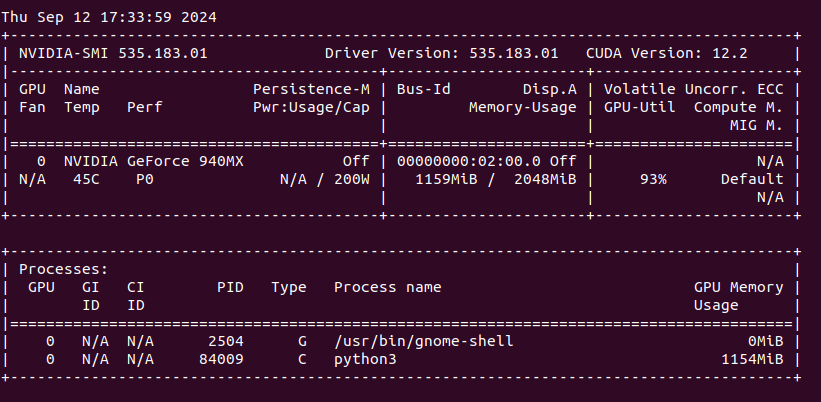
We can see that my NVIDIA GeForce 940MX with 2 GB VRAM is loaded around 60% with over 90% utilization (results from nvidia-smi).
“What is love?”. Anwser is as follows:
What is love? She never asked me the question but I am the one who has to give my answer. She is a beautiful, beautiful, very beautiful woman. The first thing you know about love is that it is the most complicated thing in the world. I was so shocked when I saw the man I thought I was marrying. My life was over. The woman who had my first kiss in my life had no idea that I was a man. She was so shocked. She said something
Next I asked for “The sun is shining and?”
I love this scene and I like when it comes to it. The sun, the sky and all the other stars are bright and I love that! I really enjoy this scene and it sets the scene for the rest of the story. It seems like the characters are just going about their day and the sun is shining. The world seems to be in its perfect place and everything is beautiful. I love the lighting in this scene and the warmth of the sunlight that
Does it make any sense? What is a concept of “sense” at all? Anyway it works, somehow. Lets find out the other possibilities.
Microsoft Azure N-series virtual machines
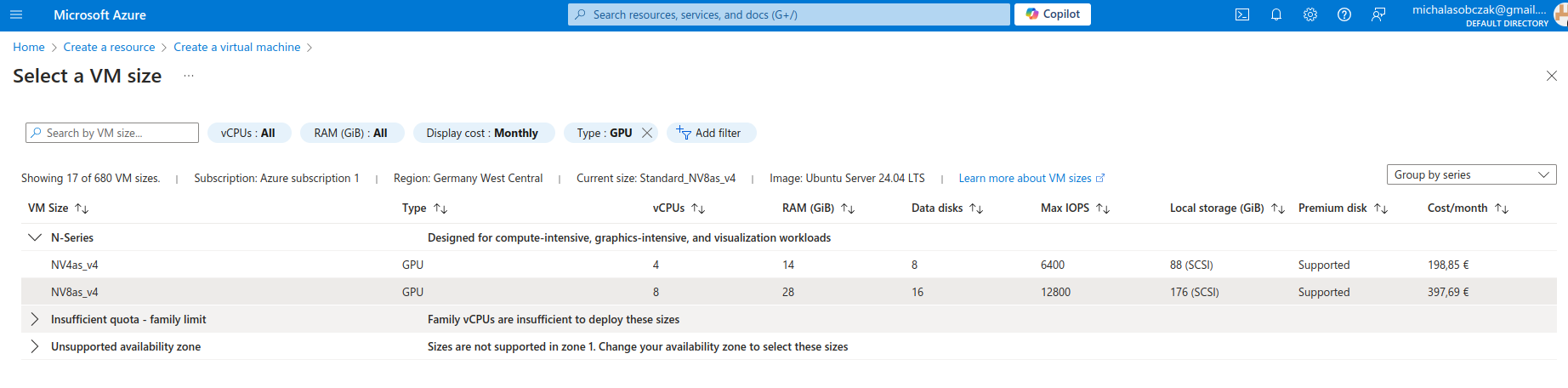
Instead of buying MSI Vector, ASUS ROG, Lenovo Legion Pro, MSI Raider or any kind of ultimate gaming laptops you go to Azure and pick on their NV virtual machines. Especially that they have 14 and 28 GB of VRAM onboard. It costs around 400 Euro per month, but you will not be using it all the time (I suppose).
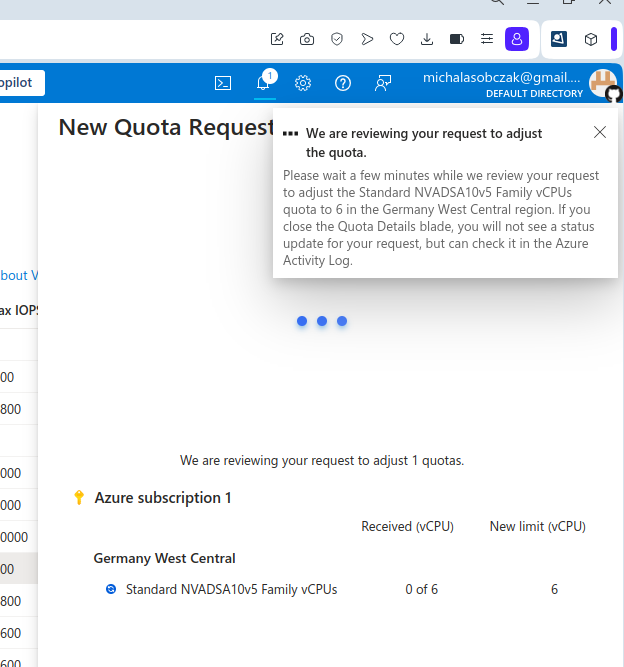
And I was not so sure how to use AMD GPU, so instead I decided to requests for a quote increase:
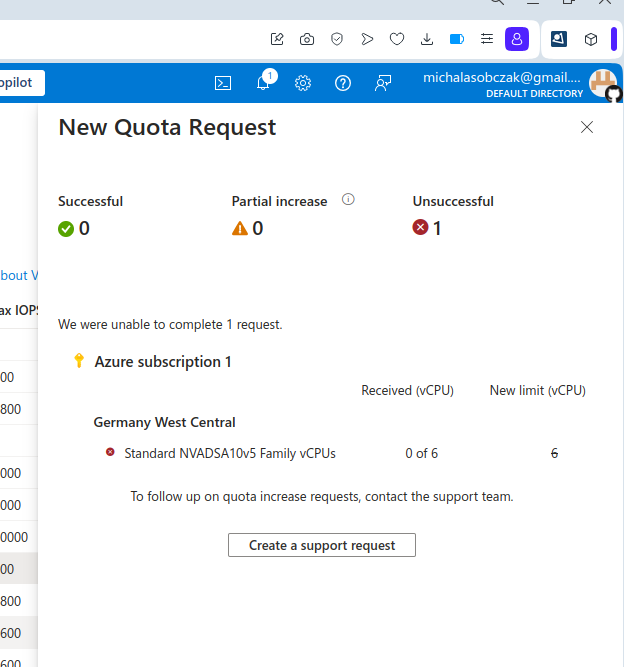
However I got rejected on my account with that request:
Unfortantely changing parameters and virtual machine types did not change the situation, I got still rejected and neeeded to submit support ticket to Microsoft in order to manually process it. So until next time!
Imagine you would like run 2 x vCPU and 4 GB RAM virtual machine. Which service provider do you choose? Azure, AWS or Hetzner?
With AWS you pay 65 USD (c5.large instance… and by the way why this is called large at all?). You pick Microsoft Azure you pay 36 Euro (B2s). If you would pick DigitealOcean then you pay 24 USD (noname “droplet”). Choosing Scaleway you pay 19 Euro (PLAY2-NANO compute instance in Warsaw DC). However, with Hetzner Cloud you pay as little as 4.51 Euro (CX22 virtual server). How is that even possible? So it goes like this (converted from USD to Euro):
AWS: 59 Euro
Azure: 36 Euro
DigitalOcean: 22 Euro
Scaleway: 19 Euro
Hetzner Cloud: less than 5 Euro
With different offers for vCPU and RAM the propotion stays similar, especially in Microsoft Azure. Both Azure and AWS are big-tech companies which make billions of dollars on this offer. Companies like DigitalOcean, Scaleway and Hetzner cannot be called big-tech, because they are much narrower in their businesses and do not offer that high amount of features in their platforms, contrary to Azure and AWS which have hundreds of features available. Keep in mind that this is very synthetic comparison, but if you would like to go with that specific use case scenario you will see the difference.
Every platform has its best. AWS was among the first on the market. Microsoft Azure has its gigantic platform and it is the most recognizable. DigitalOcean, Scaleway and Hetzner are many more (like Rackspace for instance) are the most popular, reliable among other non-big-tech dedicated servers and cloud services providers. I personally especially like services from Hetzner, not only because of their prices but excellent customer service, which is hard to offer within Microsoft or Amazon. If you want somehow more personal approach then go for non-big-tech solutions.
Important notice: any kind of recommendations here are my personal opinion and has not been backup-up by any of those providers.
Ever wondered what can be the highest load average on the unix-like system? Do we even know what this parameter tells about? It shows the average number of either actively running or waiting processes. It should be close to the number of logical processors present on the system, otherwise, in case it is greater than this, some things will need to wait in order to be executed.
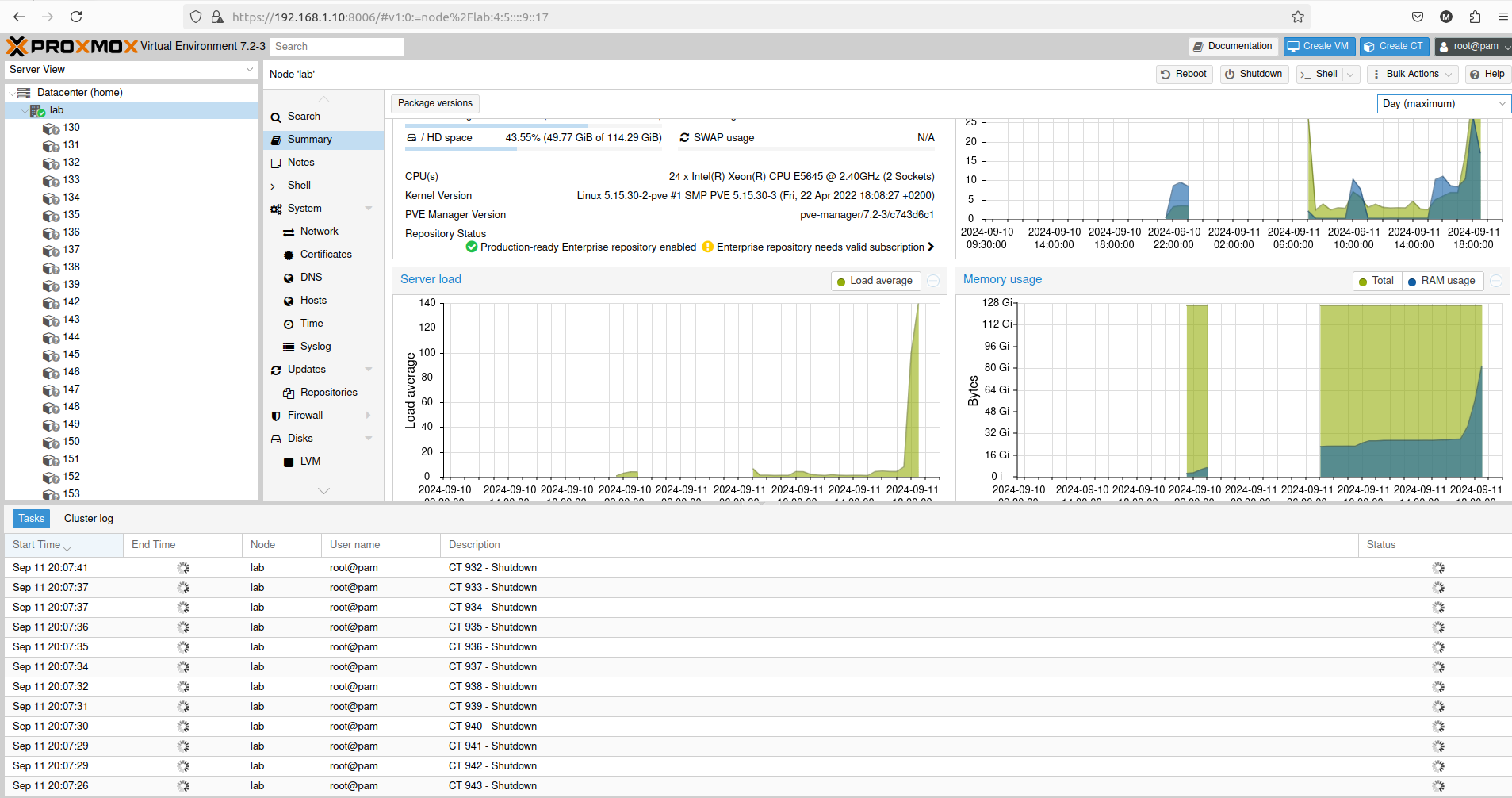
So I was testing 1000 LXC containers on the 2 x 6 core Xeon system (totalling as 24 logical processors) and leave it for a while. Once I got back I saw that there is something wrong with system responsiveness.
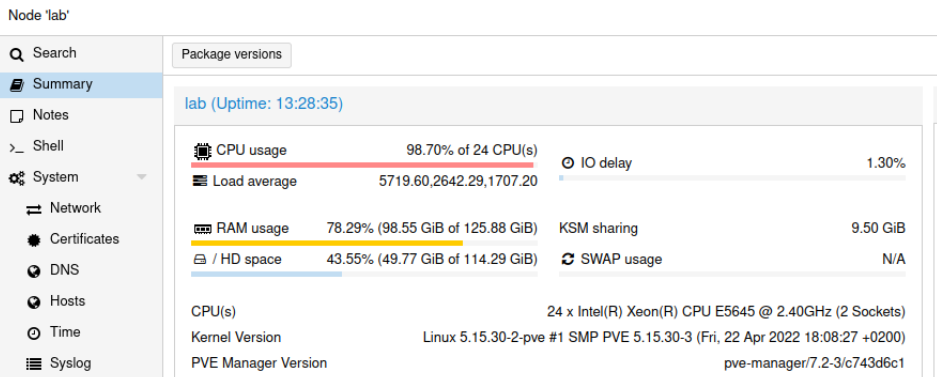
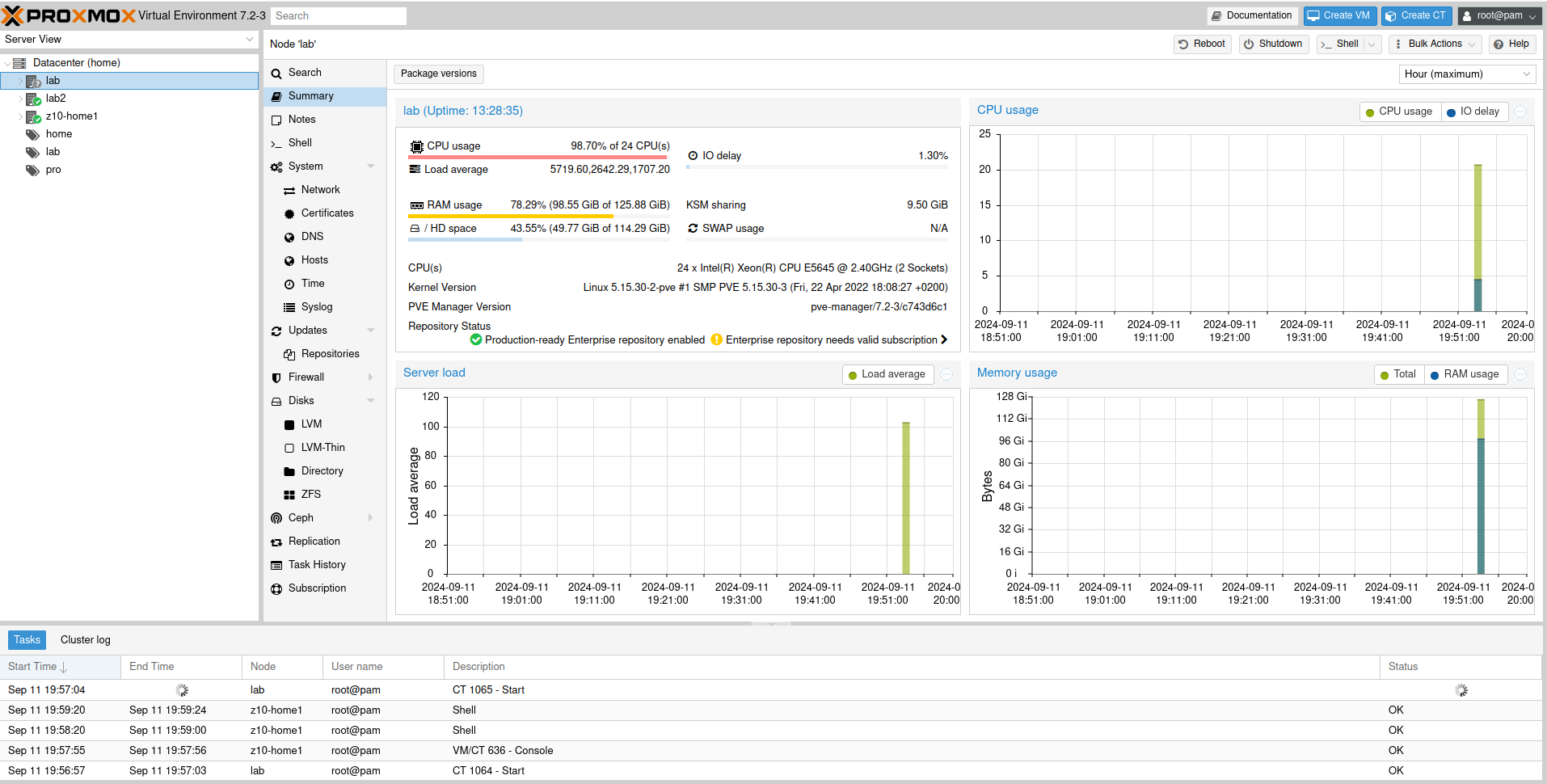
And my load average was 1min: 5719, 5 min: 2642, 15 min: 1707. I think that this the highest I have ever seen on systems under my supervision. What is interesing is that the system was not totally unresponsive, rather it was a little sluggish. Proxmox UI recorded load up to somewhere around 100 which should be a quite okey value. But then it sky-rocketed and Proxmox lost its ability to keep track of it.
I managed to login into the system and at that moment load average was already at 1368/2030/1582, which is way less than a few minutes before. I tried to cancel top command and reboot it, but even such trival operation was too much at that time.
Once I managed to initiate system restart it started to shut down all those 1000 LXC containers present on the system. It took somwhere around 20 minutes to shut everything down and proceed with reboot.
Get rid of ads and stop sending your data for free to Opera
Little history
My favourite browser was Opera for so many years. Between 2000 and 2005 it was adware showing, well… ads. In 2005 ads have been remove as the financing came from Google, Opera’s default search engine. In 2013 Opera dropped its own rendering engine in favor to Chromium. In 2023 Opera gets some AI features.
What is all about?
I still like Opera.
It has this great multi workspace feature, battery saving mode and in general it is much more capable of running plenty of tabs comparing to other major browsers like Firefox or Chome. However…
Opera has tons of “features” like shopping, Booking.com, promotional offers, AI services etc. Most of those features, including wallet, address data, spelling and payment options are enabled by default. Image how much data you share with Opera this way. Image how many of features can be used against you. Fortunately you can disable all of these, which makes Opera the great browser again.
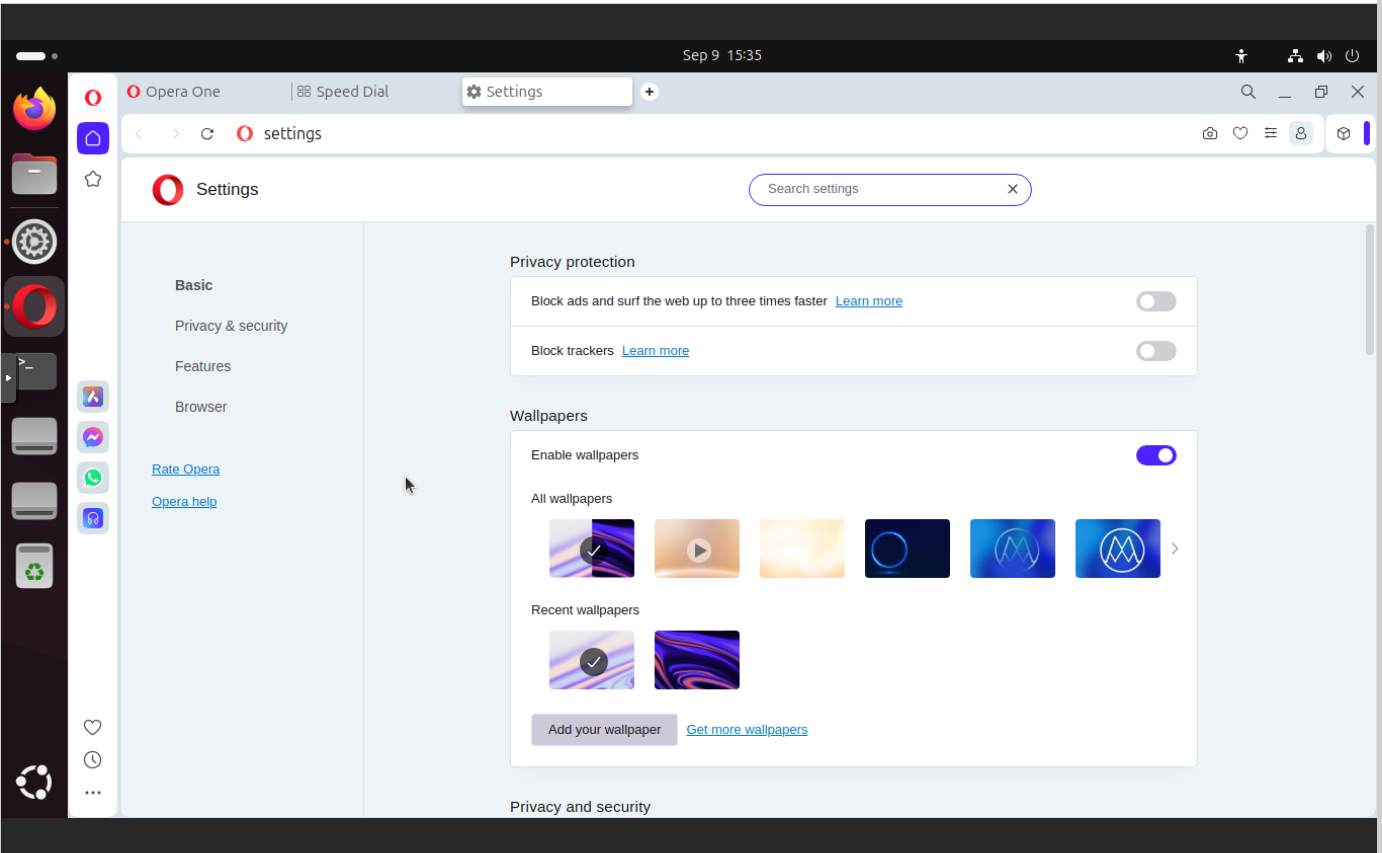
Start with blank configuration page
Click on Opera logo and select Settings. You will go to configuration page in which you find multiple sections like Basic, Advanced, Privacy & security, Features and Browser. Remember that in some cases configuration page navigation is not linear.
Privacy & Security
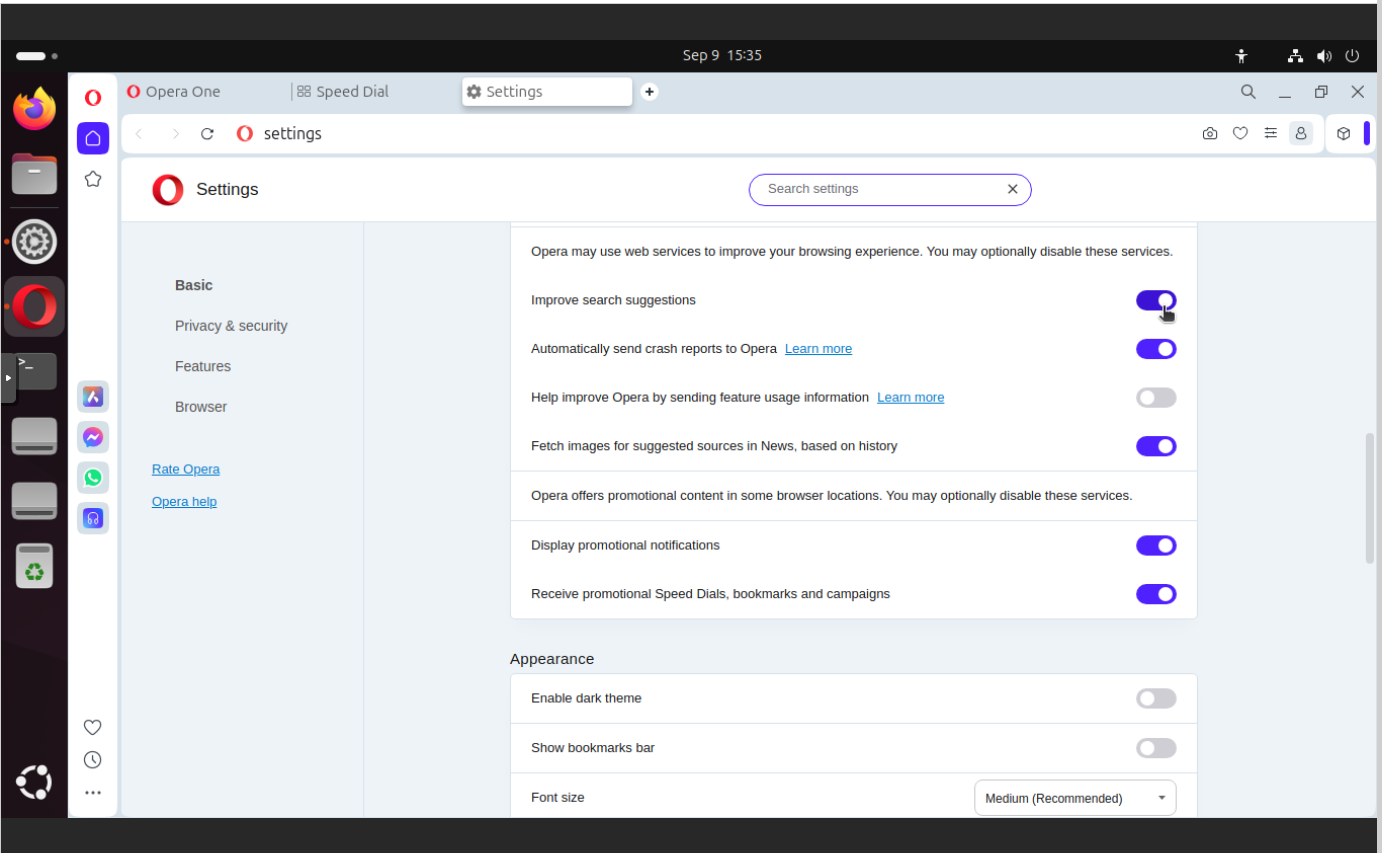
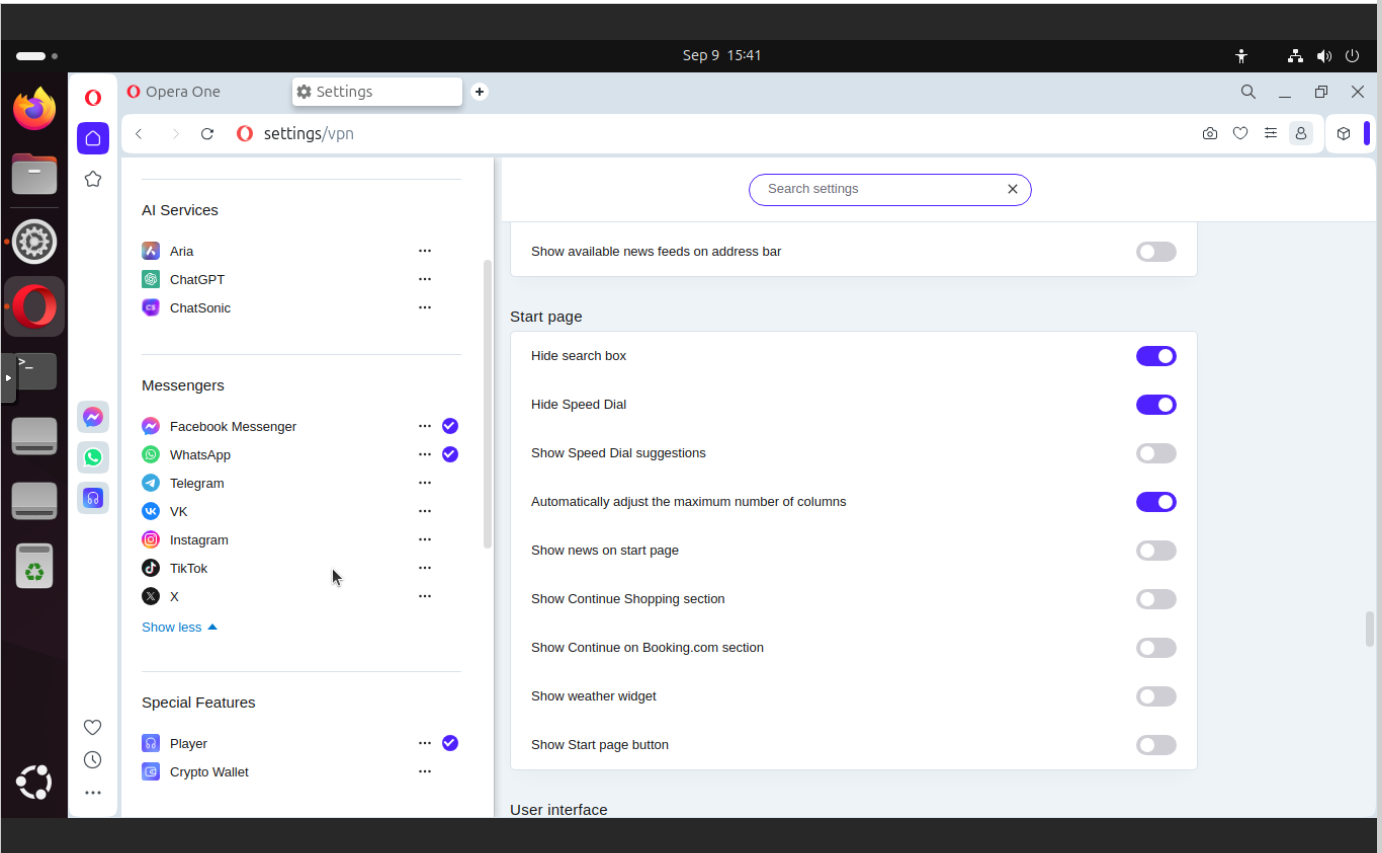
Here in this section you find settings which concerns suggestions and diagnostics, but also here you can find promotional notifications and promotional Speed Dials, bookmarks and campaigns. As you can see it is mixed. This is the main issue with Opera settings, there are mixed to confuse you more so you will not be able to identify whether you disabled all unwanted features already.
In this section you can find:
Improve search suggestions
Automatically send crash reports to Opera
Fetch images for suggested sources in News, based on history
Display promotional notifications
Receive promotional Speed Dials, bookmarks, and campaigns
Change search engine to non-big-tech
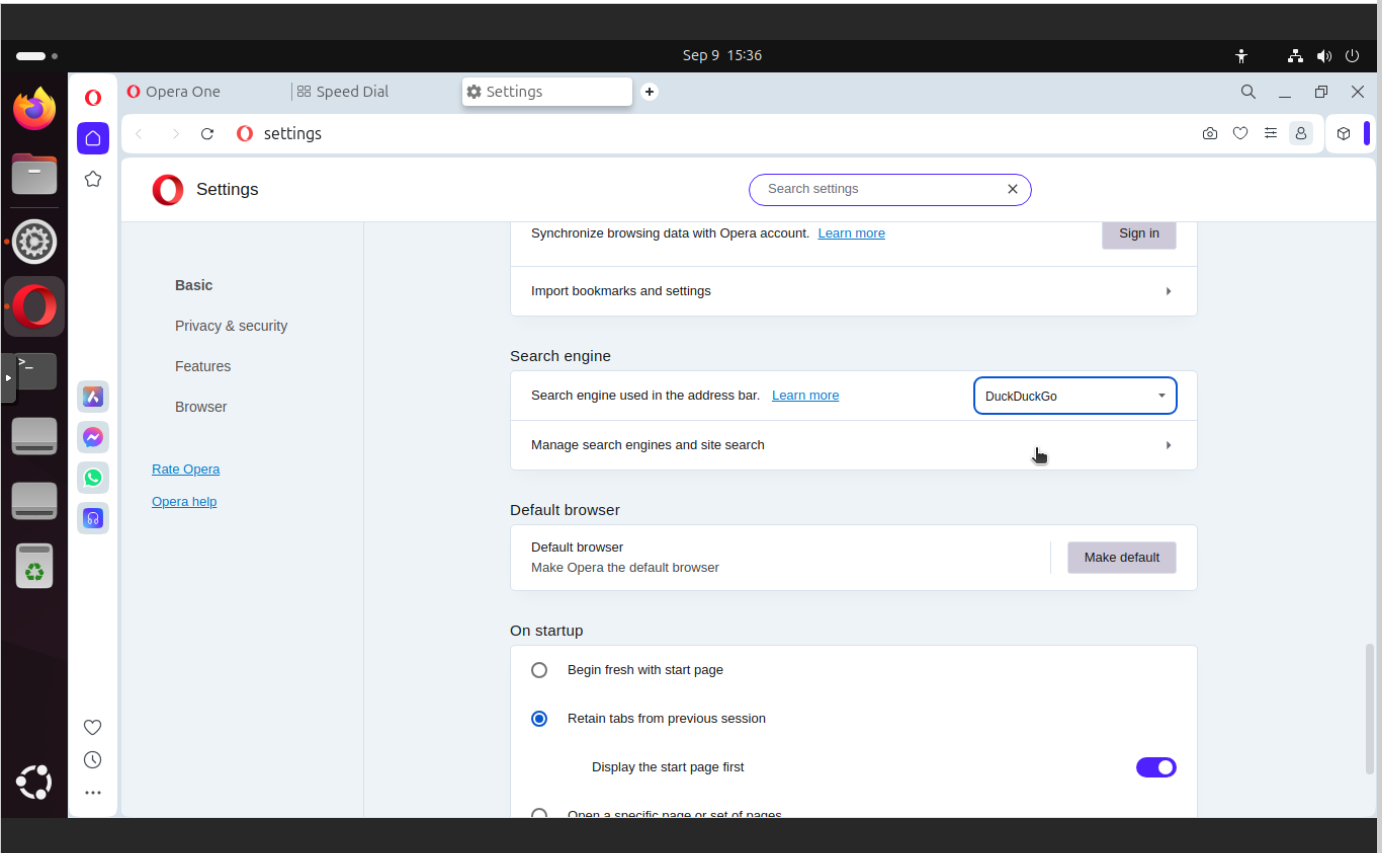
Instead of using Google, and feed big-tech with loads of your search data, you can use DuckDuckGo as your primary engine. Fortunately there is option to change default search engine.
In this section you can find:
Search engine used in the address bar – set to DuckDuckGo 🙂
Password manager
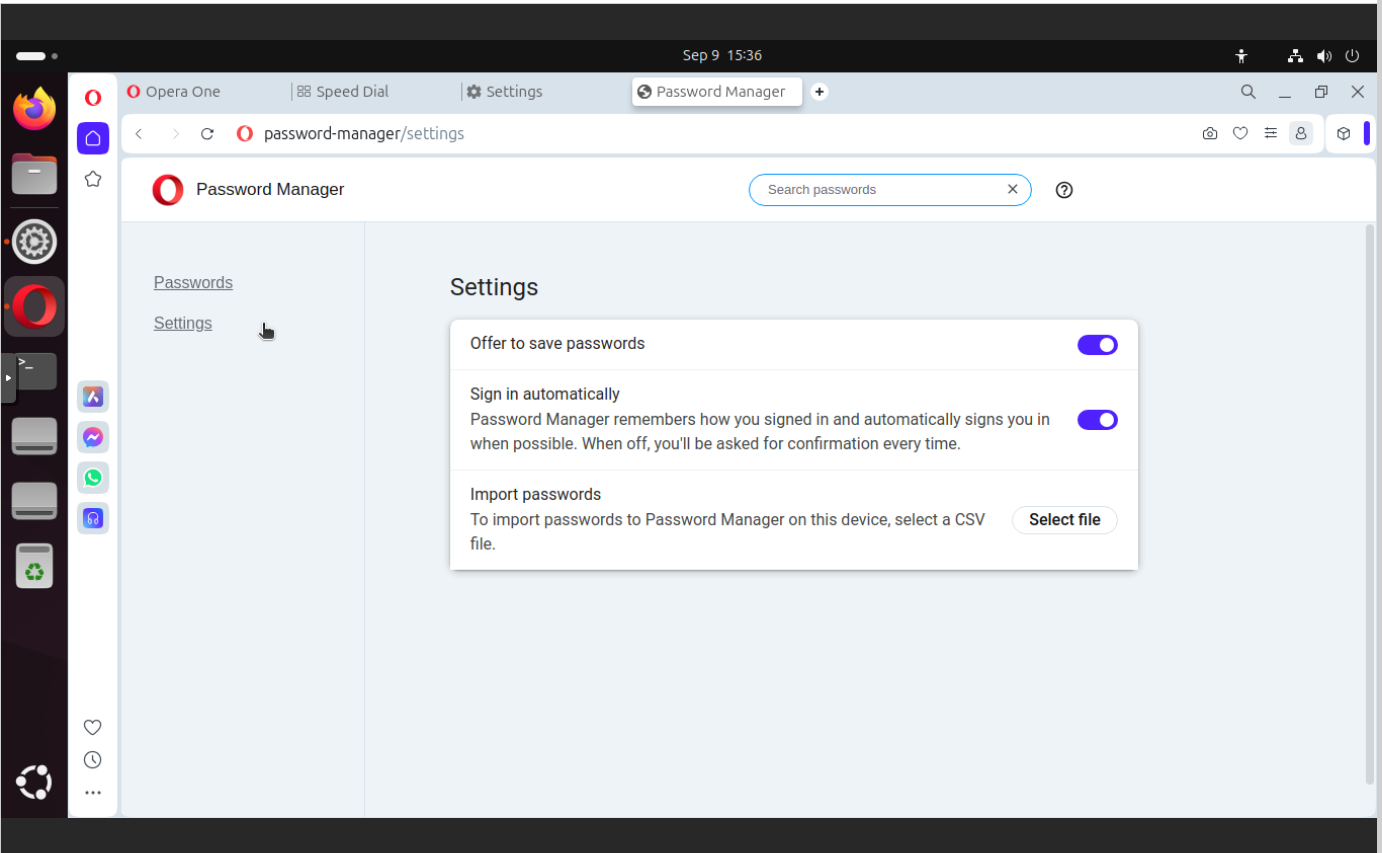
I prefer to manually enter passwords which I keep in secure encrypted place and I know how they are secured. Saving passwords in any other form could be dangerous as you do not know to whom you give those passwords and in what form. And there are several examples of similar tools that have been hacked in the past.
In this section you can find:
Offer to save passwords
Sign in automatically
Payment methods
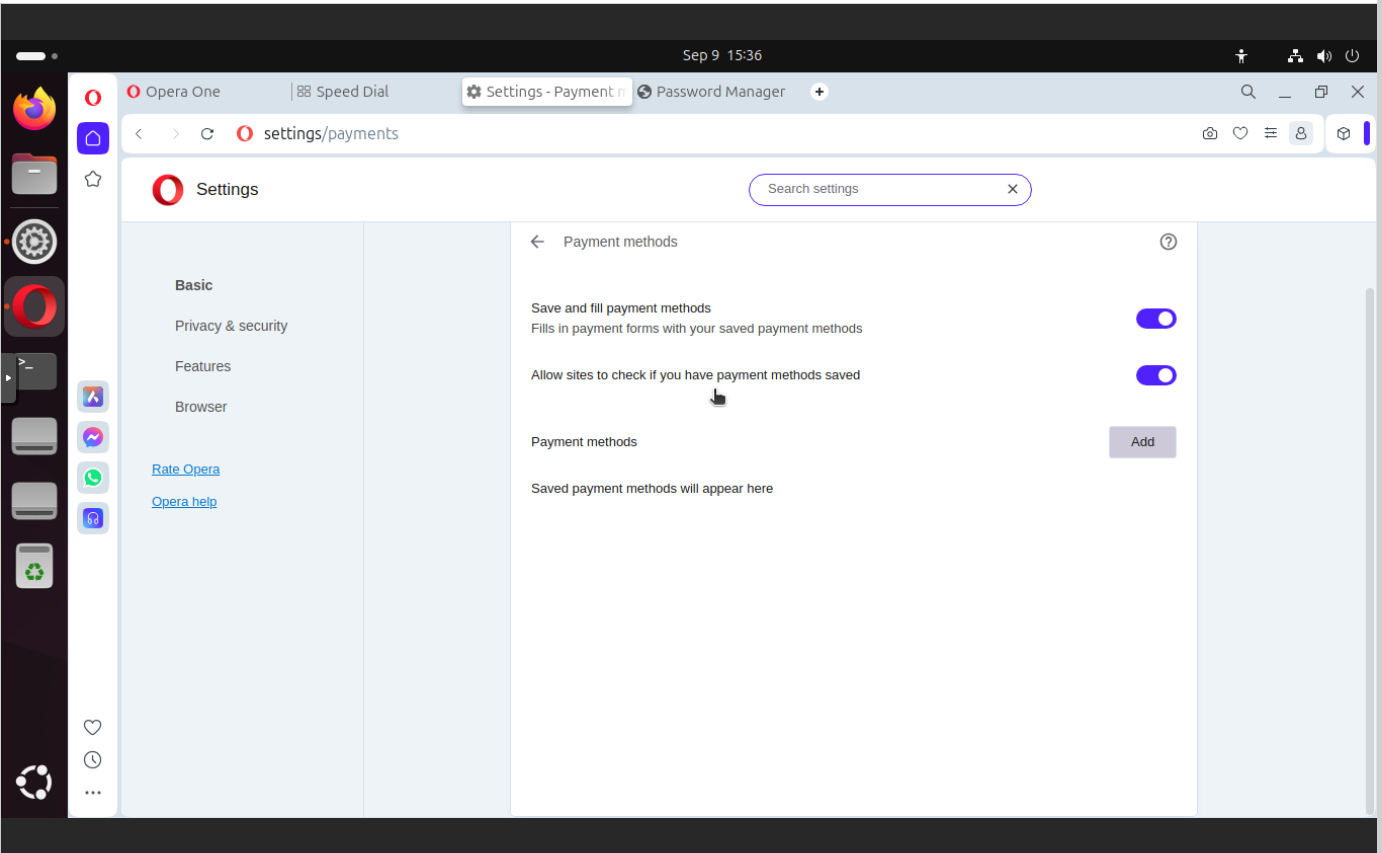
I think that anything (id est information) remembered/saved about my person, location or browsing scheme could be potentially monetized by those companies like Opera or Google which offer browsers. You may say that those things like payment types or passwords probably are locally save. Maybe, but how about future upgrades? Will someone give me guarantee about this? I’m not so sure.
In this section you can find:
Save and fill payment methods
Allow sites to check if you have payment method saved
Address forms
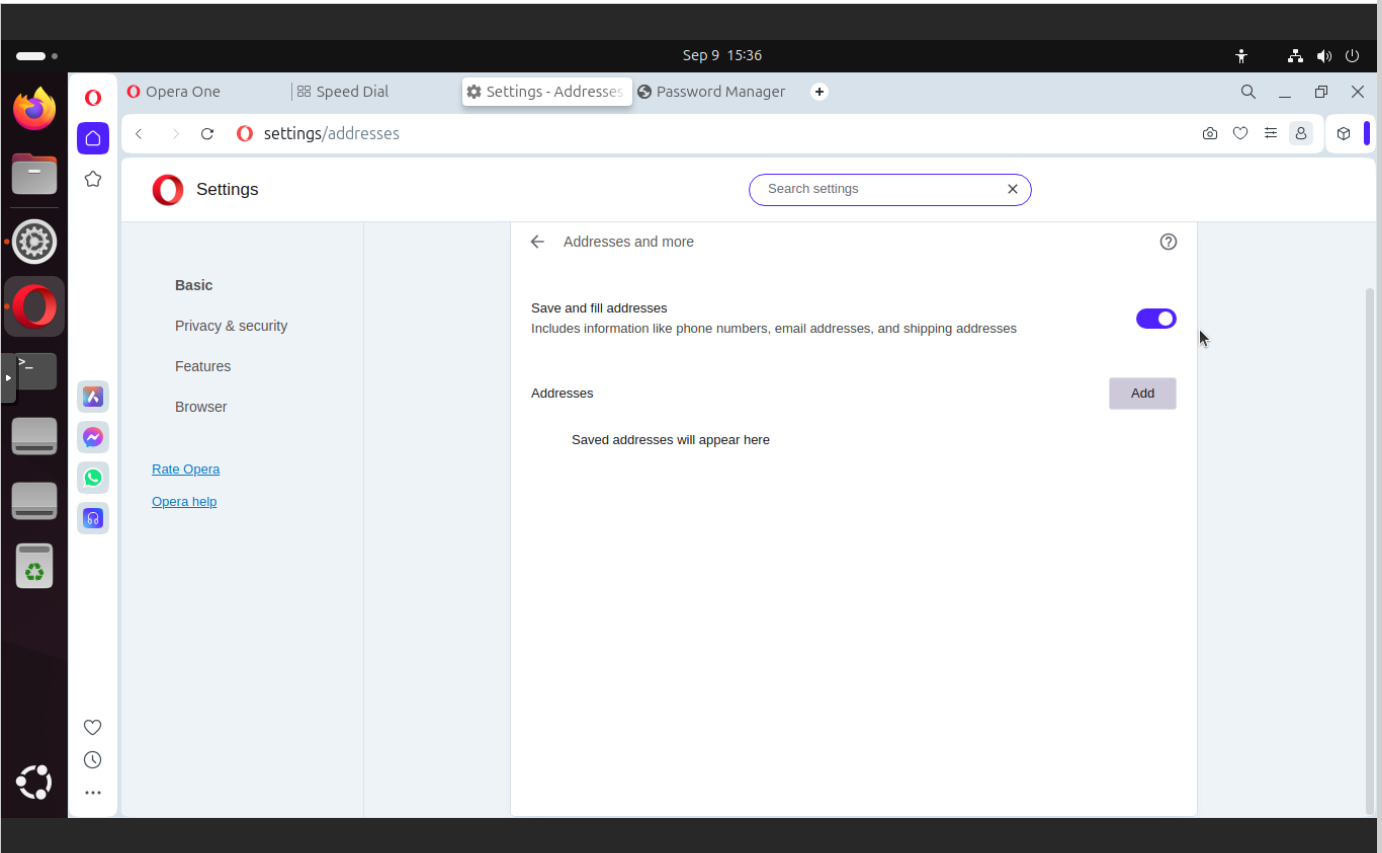
In case of form data it is more about malicious websites stilling data than Opera as such. There are known vulnerabilities which offer hidden form elements which will be auto-filled even if you could not see them. Keeping this option as “on” may cause to similar issues in the future. And actually it does not matter if Opera is vulnerable to this kind of “attack” today or it is not, it is all about approach.
In this section you can find:
Save and fill addresses
Crypto wallet
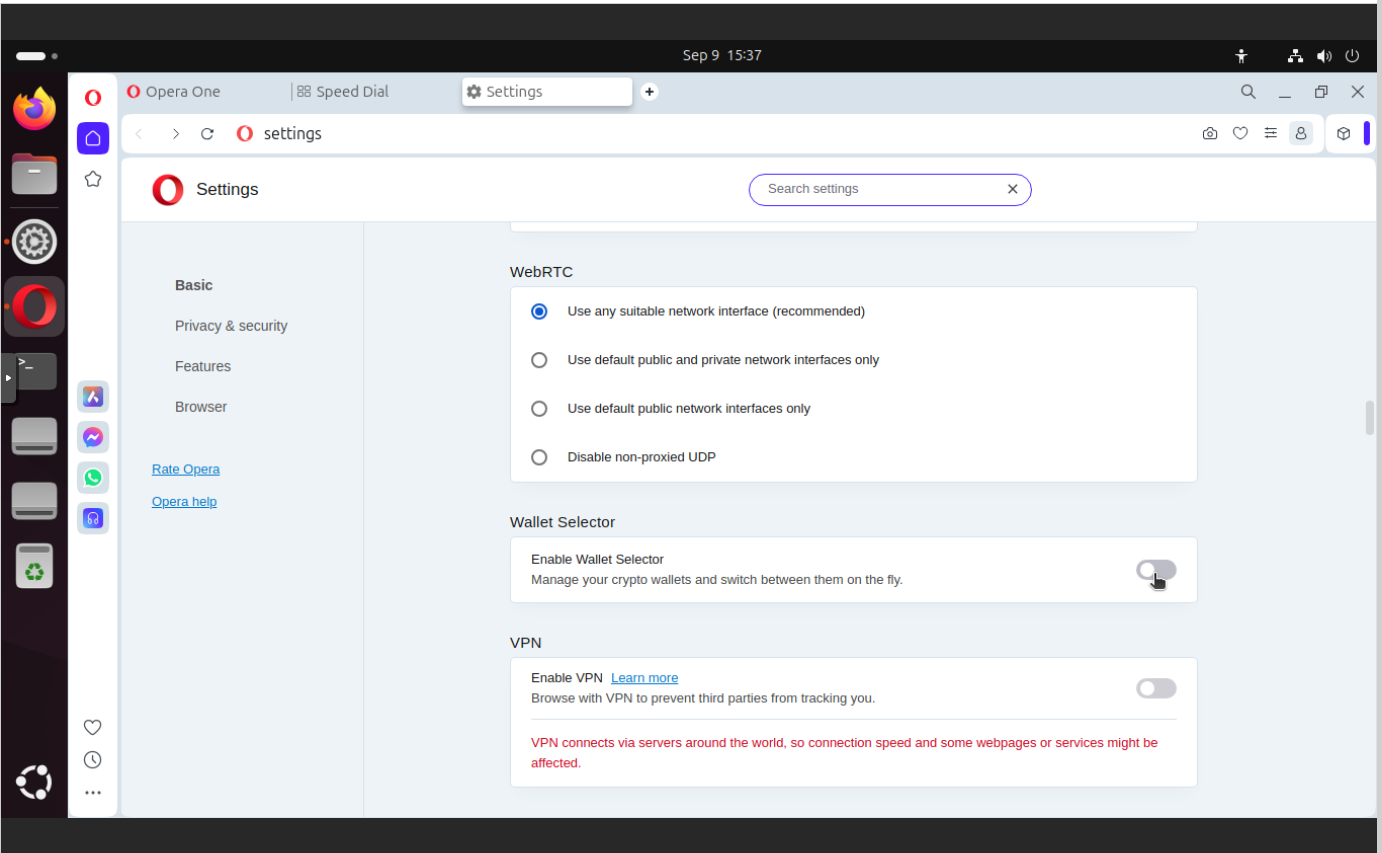
If you own some cryptos you may wonder if this option is a safe place for your crypto wallets. I am not so sure about this. As far as I remember it is all about having some private key. So keep your private key private. Keeping any keys or IDs in such place from my perspective is not a good idea. You may see this in other colors and keep using this, but this my opinion.
In this section you can find:
Enable Wallet Selector
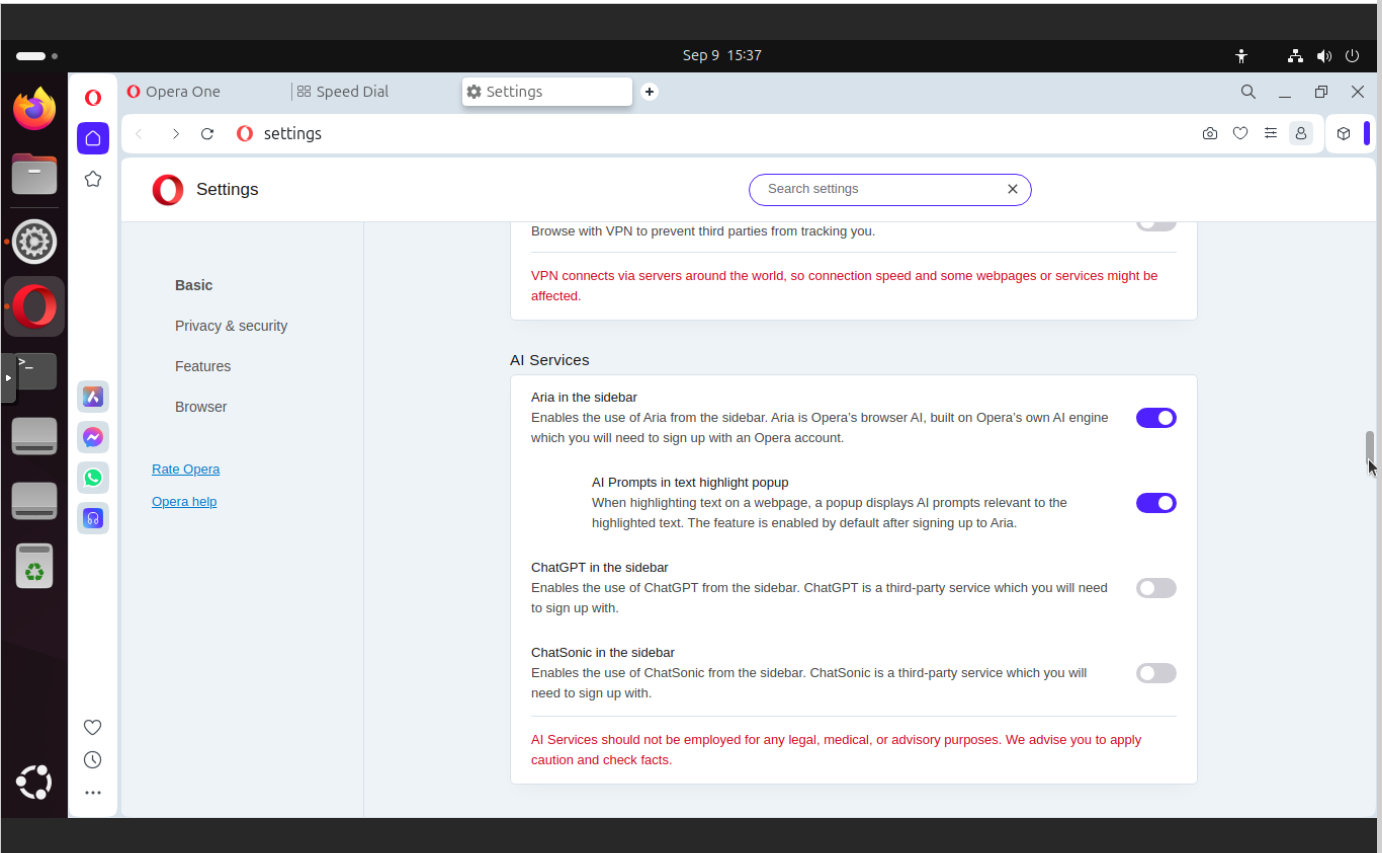
AI services
It is nothing bad about having AI features in a browser. I do not see any major issues with this one as I do not think that Opera would send all the traffic and data to those machine learning pipelines. So with that being crossed-out, you may only think about your battery life if you have more and more features enabled. Please note that I did not conduct any test, so it is only my opinion about this one.
In this section you can find:
Aria in the sidebar
AI Prompts in text hightlight popup
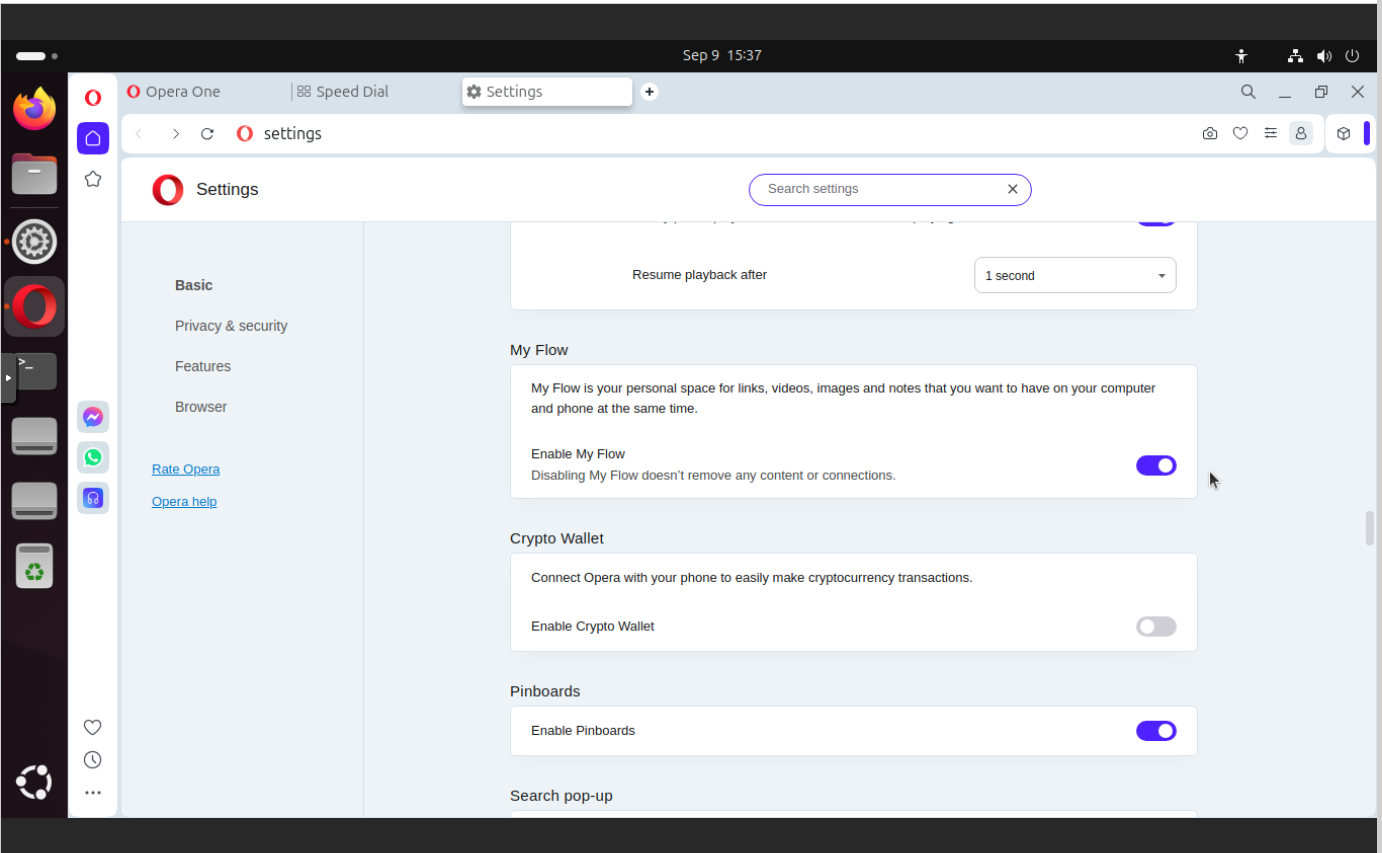
My Flow
My files on my computer and phone at the same time? It sounds like sending my data outside of my device? I would not do this as I do not use OneDrive and Dropbox and as I identify that my device contain such software it is immediately uninstalled. If I want to send some files to where else I send it by myself and on my own rules. You may choose differently, it is my approach, the secure way.
In this section you can find:
Enable My Flow
Enable Pinboards
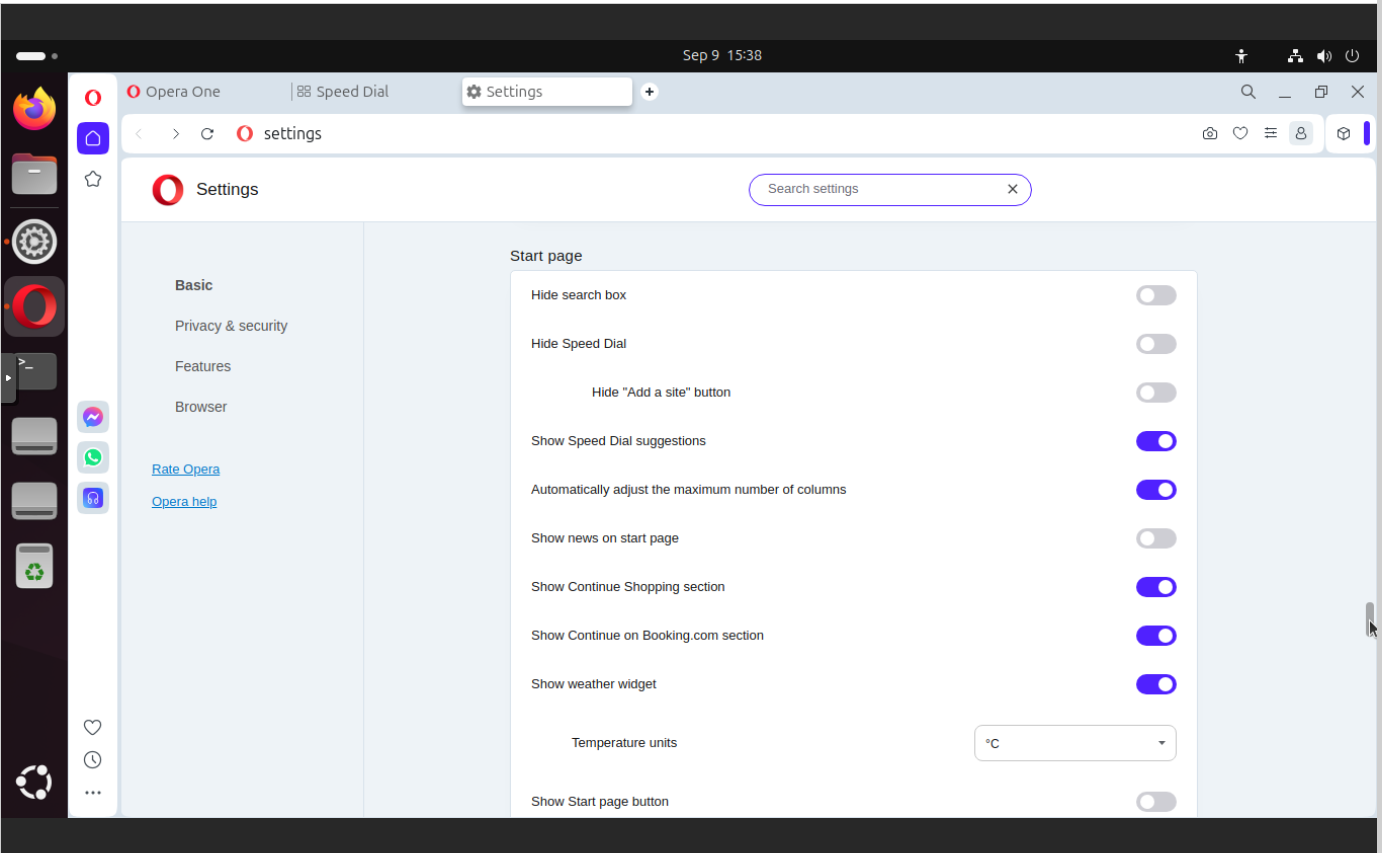
Start page
So here you have suggestions, which are based on our data. You have Booking.com options. It should be self-explaining that these are commercial contracts which are based either or data or on affiliation, which still my identify you as a person making a purchase somewhere else.
In this section you can find:
Hide search box
Hide Speed Dial
Show Continue Shopping section
Show Continue on Booking.com section
Show weather widget
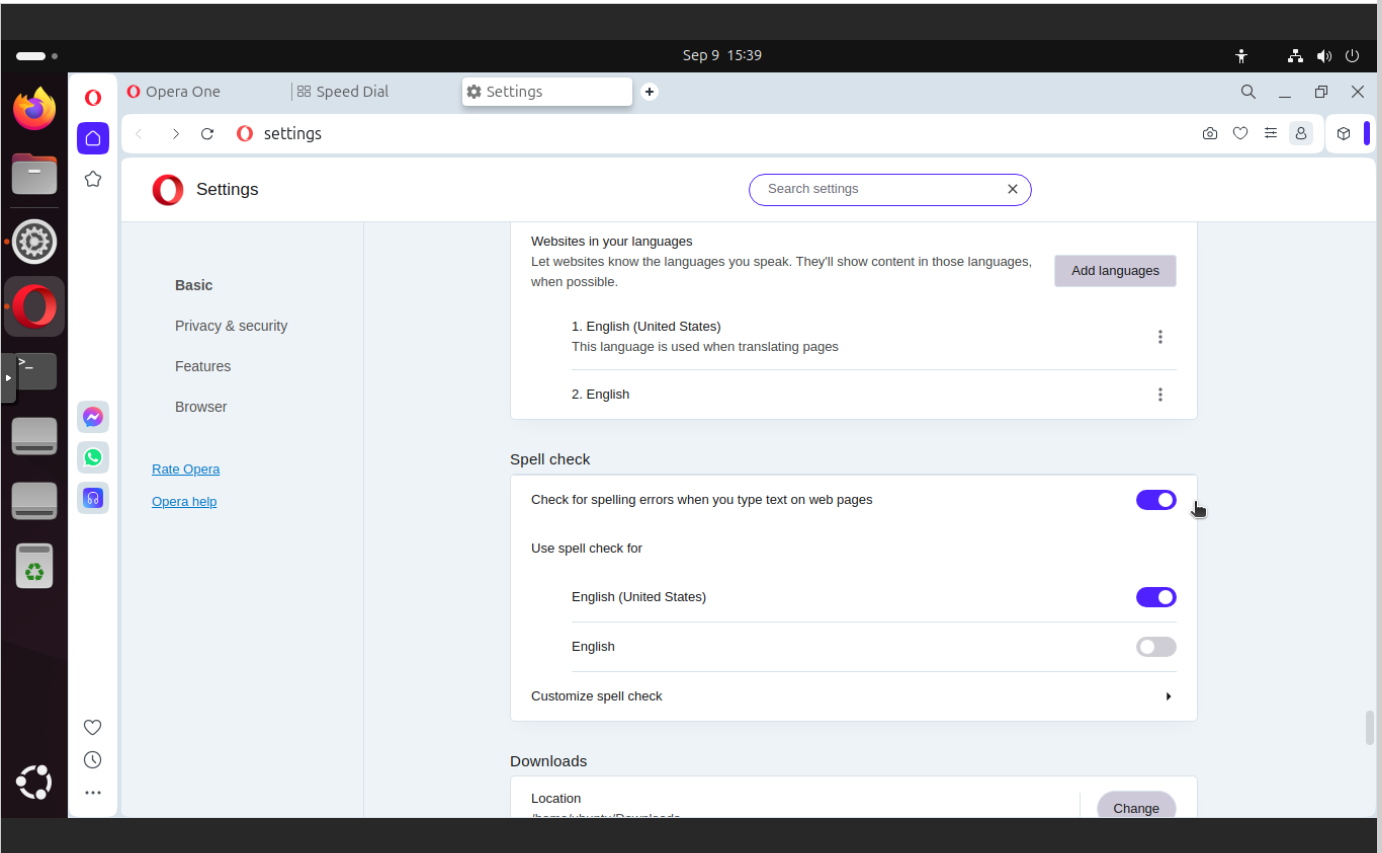
Spell check
This feature itself is not harmuf, but consumes battery. You may leave it enabled if you want.
In this section you can find:
Check for spelling errors when you type text on web page
Social media
Messenger and WhatsApp are the most popular ways of communicating nowadays but having Telegram here… well, I have heard that are some issues with this, so be sure you know what you are doing actually. WhatsApp works just fine. Messenger is just a little bit less crippled that the whole Facebook thing.
In this section you can find:
You can disable Telegram 🙂
What’s next?
With beforementioned adjustments you can start using your Opera in way more secure way that comparing to its default settings which are stupendous but still somehow understandable. Opera is a commercial company which would like to make money, and they make money thru various channels like: ads, affiliations, “by-defaulting” things, data/diagnostics, features inclusion as services. With just a little time spend on this configuration you get great and efficient workspace. I think it is worth spending this time.
Use Microsoft Azure AI Services to analyze images, voice, documents. No AI/ML or coding skills required. Responsible AI applies by EU AI act. Formerly Cognitive Services.
Course of Action
Create AI Services multi-account in Azure
Run computer vision OCR on image
What is Microsoft Azure?
It is Microsoft’s public cloud platform offering broad range of products and services, including virtual machines, managed containers, databases, analytics platforms as well as AI Services. Major competitors of Azure are Amazon AWS and Google’s GCP.
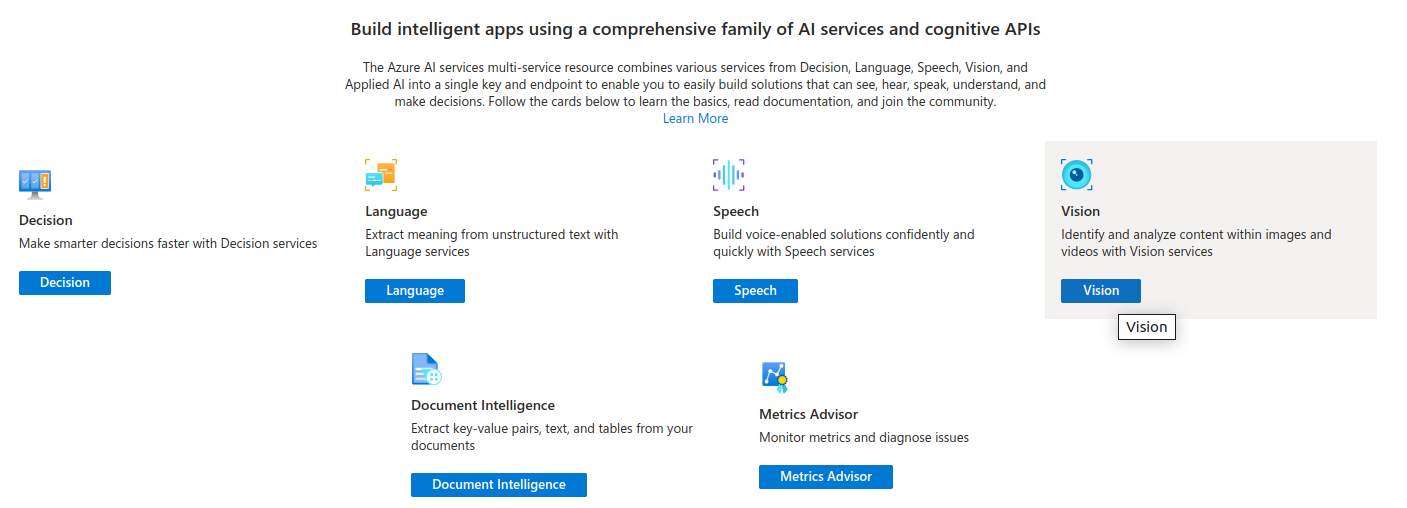
What are AI Services (formerly Cognitive Services)?
It is a set of various services concerning recognition and analysis procedures based on already trained ML models (or even traditional programming techniques). You can use it to describe documents, run OCR tasks, face recognition etc. Actually, those services tend to be categorized under Cognitive Services section, which concerns recognition which is a synonym of cognitive. Name change process which happend in July 2023 was more-or-less rebranding and provided non breaking changes only as a part of marketing. It is obvious that AI services would sell better than Cognitive Services.
Create AI multi-service account in Azure portal
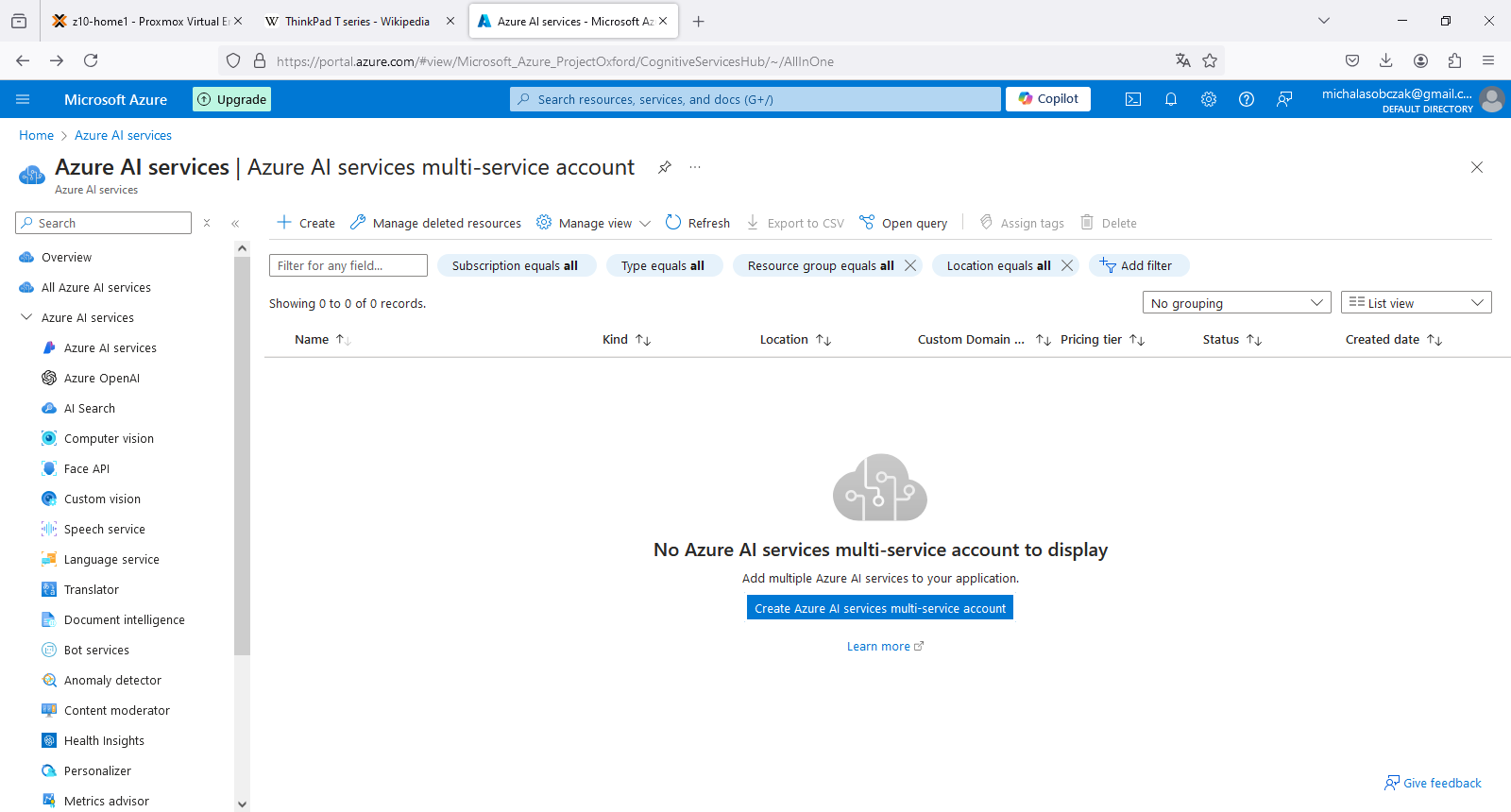
In order to create Microsoft Azure AI Services multi-service account you need to have valid Azure subscription, either Free Trial or regular account. Type “AI” in search field in portal.azure.com and you will find this service thru service catalog.
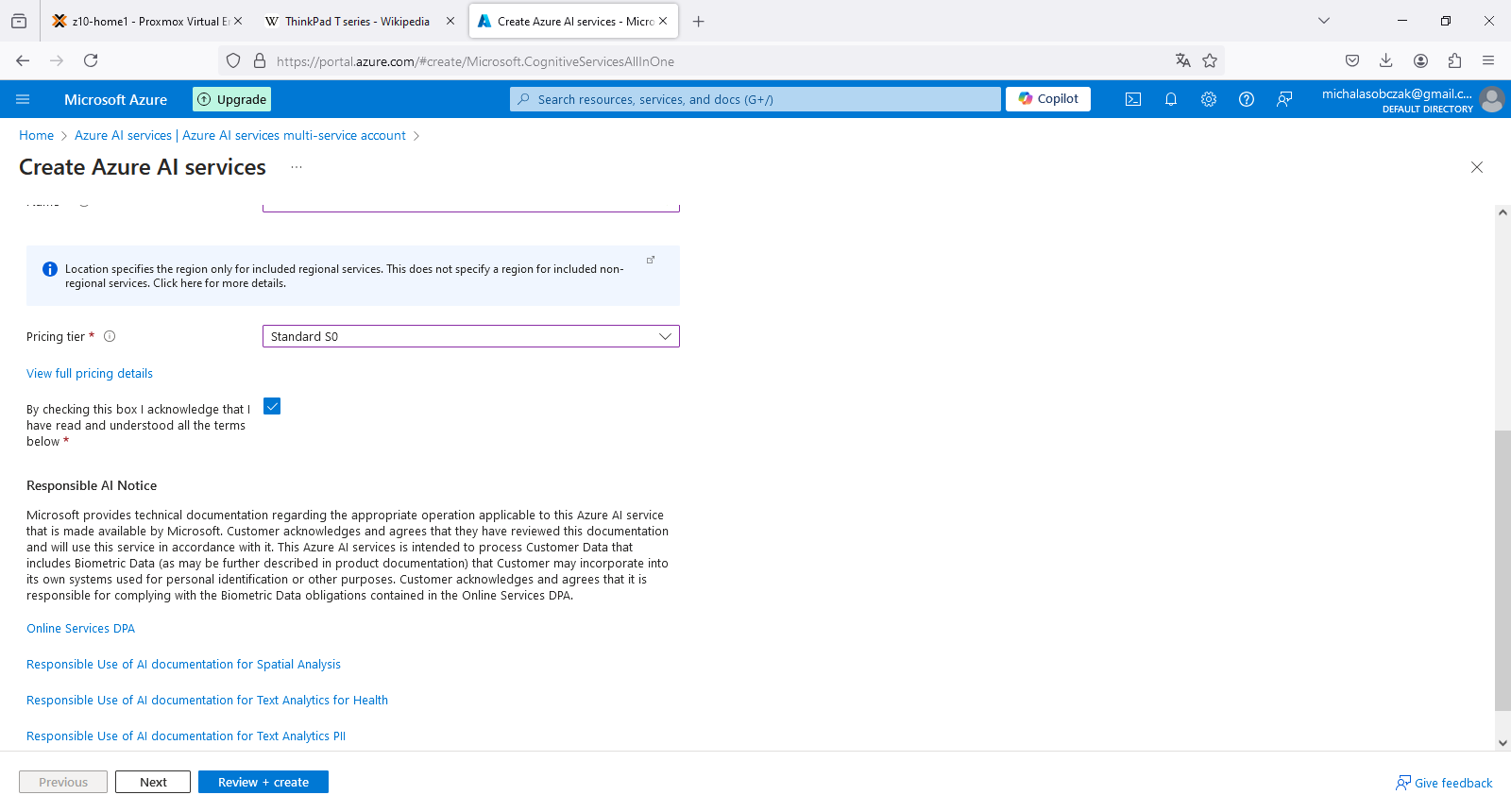
It is worth menitioning that you get “Responsible AI Notice” which relates to AI Act which includes European Union, USA and UK. It defines what AI/ML models can do and what should not allow. Accoring to KPMG source it covers among others: social scoring, recruitment and deep-fake disclosure as the most crucial areas which require regulations. What about the rest of the world? Well, it might be same as with CO2 emissions or plastic garbage recycling. situation.
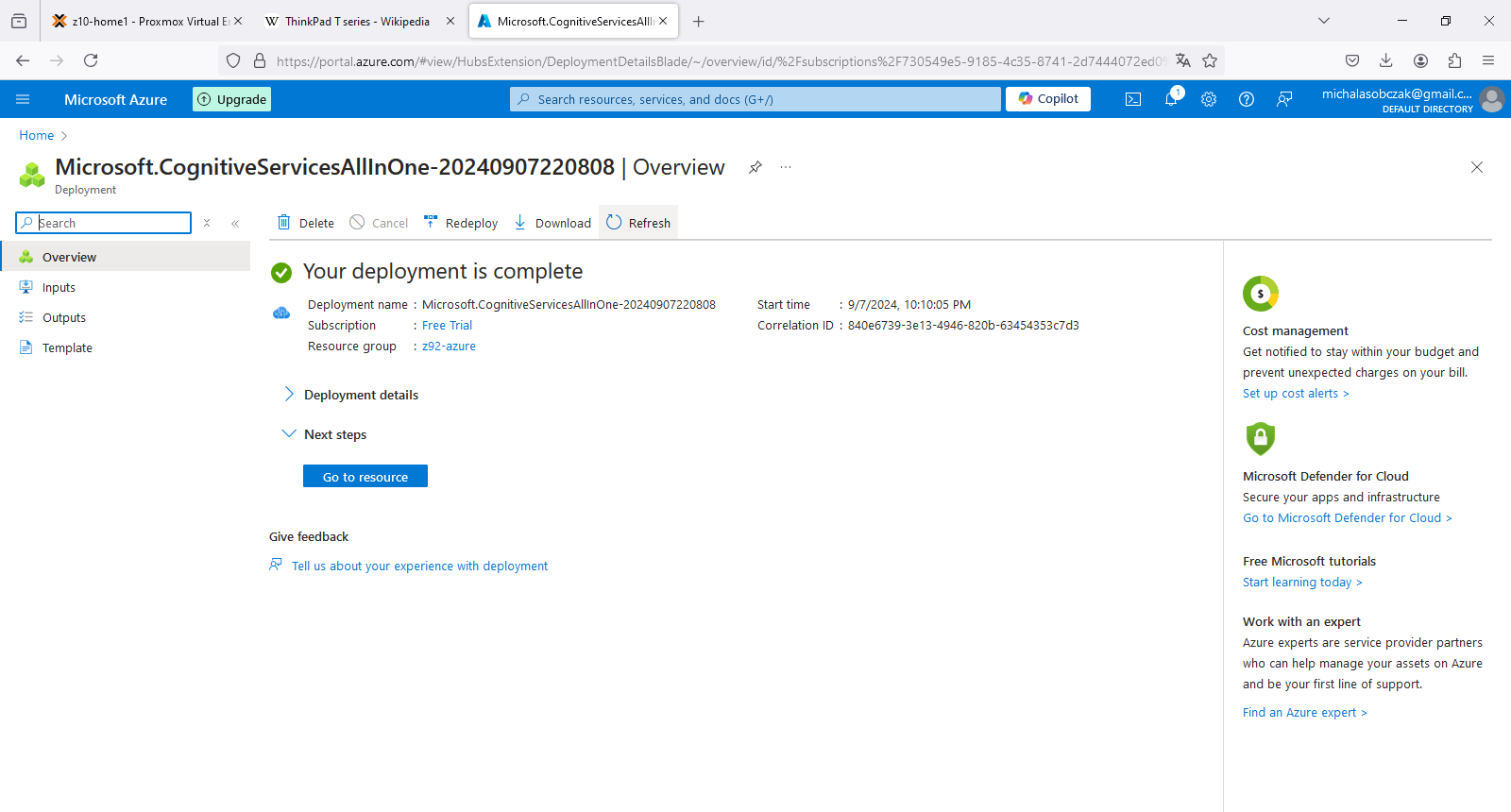
Deployment process in Azure is especially meaningful when speaking about configurable assets with data. However in terms of deploying services it is a matter of linking them to our account, so the deployment process of AI Services finishes within seconds.
AI Services account overview
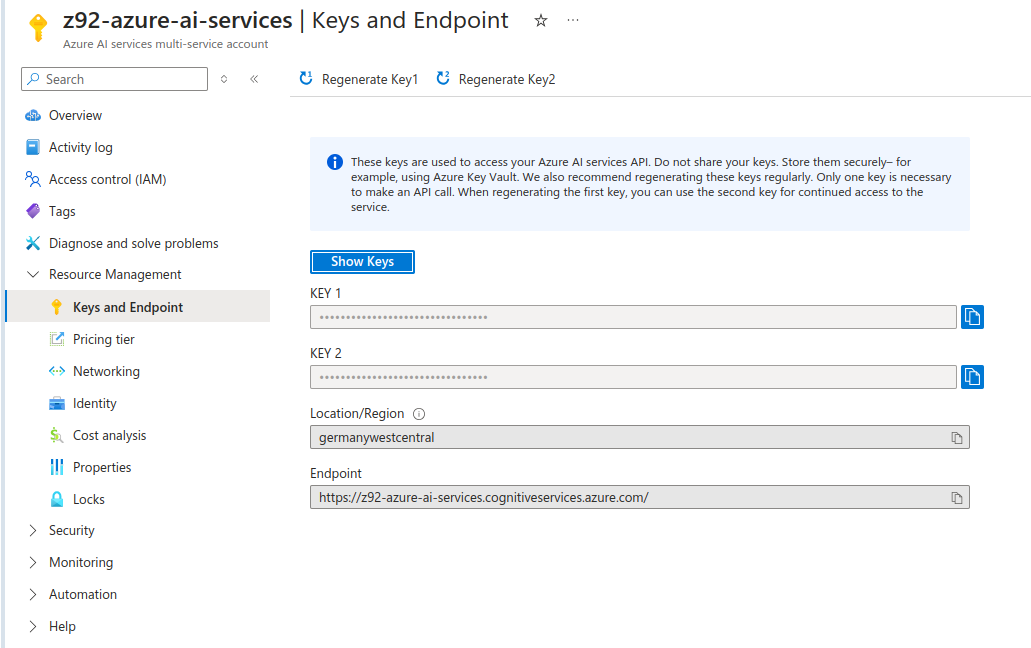
To use Azure AI services you need to go to Resource Management, Keys and Endpoint. You will know to which Endpoint you should send your API calls/requests and what is the access key. This key is then mapped to “Ocp-Apim-Subscription-Key” header which should be passed during HTTP call.
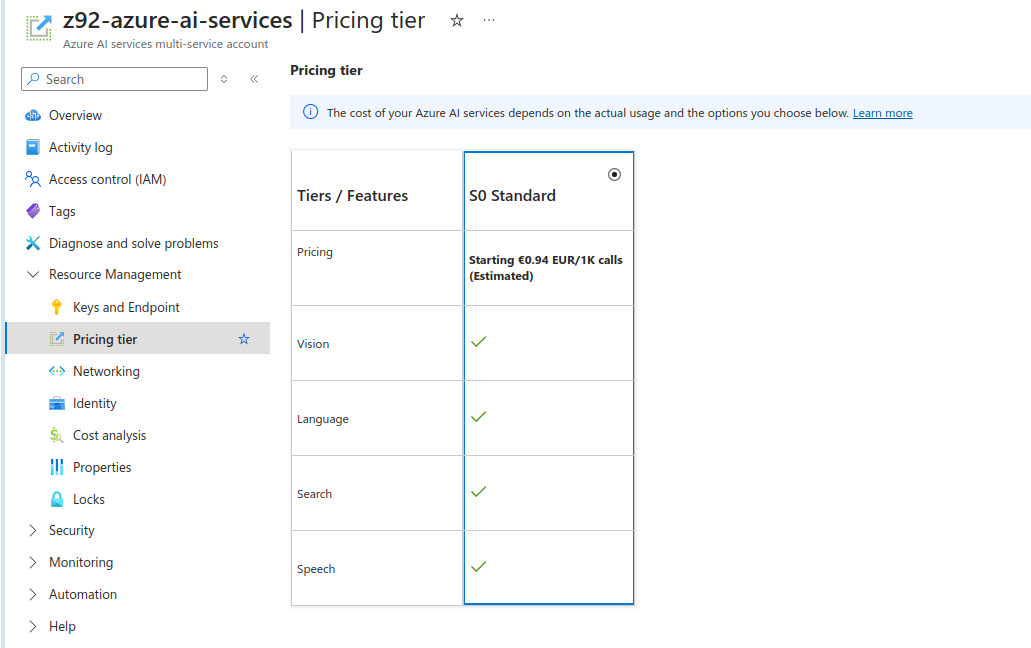
As for S0 standad pricing tier on Free Tier subscription, estimate 1 000 calls to API (requests made) would cost less than 1 Euro. It might be “cheap” however it is starting point of pricing and I suspect that it might be actually a different value in real production use case scenario especially when speaking about decision making (still could be ML based only) services and not only those services which could be replaced by traditional programming techniques, which is notabene OCR processes which are present on the market for few decades already.
Run example recognition task
Instead of programming (aka coding) in various SDKs for AI Services (Python, JavaScript etc) you can also invoke such services within HTTP request using curl utility. As far as I know every Windows 10 and 11 should have curl present. As for Linux distributions you most probably have curl already installed.
So, in order to invoke recognition task, pass subscription key (here replaced by xxx), point at specific Endpoint URL and pass url parameter which should be some publicly available image on which recognition service will run over. I found out that not every feature is available in every Endpoint. In that case, you would need to modify “features” parameter:
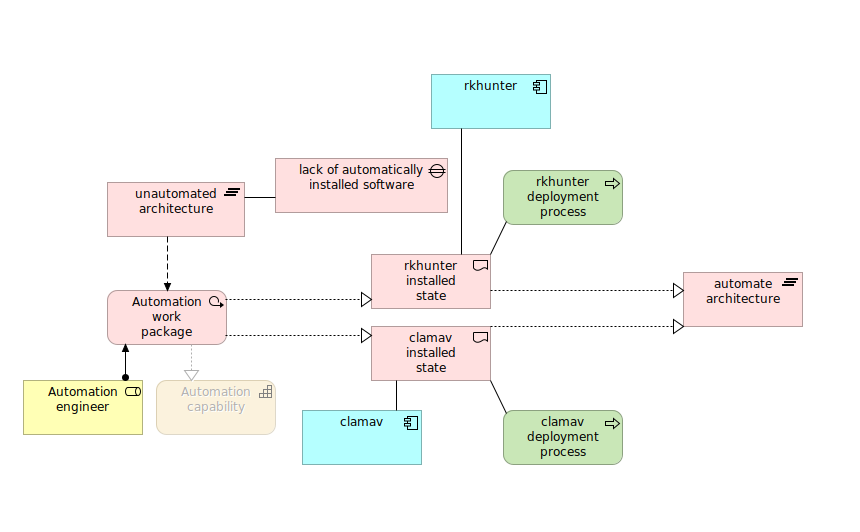
I passed this image for analysis, which contains dozen of rectangular boxes with text inside. It should should be straighforward to get proper results as text is not rotated, it is written in machine font and color contrast at proper value.
In return we receive the following JSON formatted output. We can see that it properly detected word “rkhunter” as well as “process”. However we need to provide additional layer of processing in order to merge those adjacent words in separate lines to make them phrases instead of just separate words.
I think that price-wise this AI Service, formerly known as Cognitive Services, it is reasonable way of running recognition tasks in online environment. We could include such recognition into our applications for further automation, in, for instance ERP FI invoice processing.
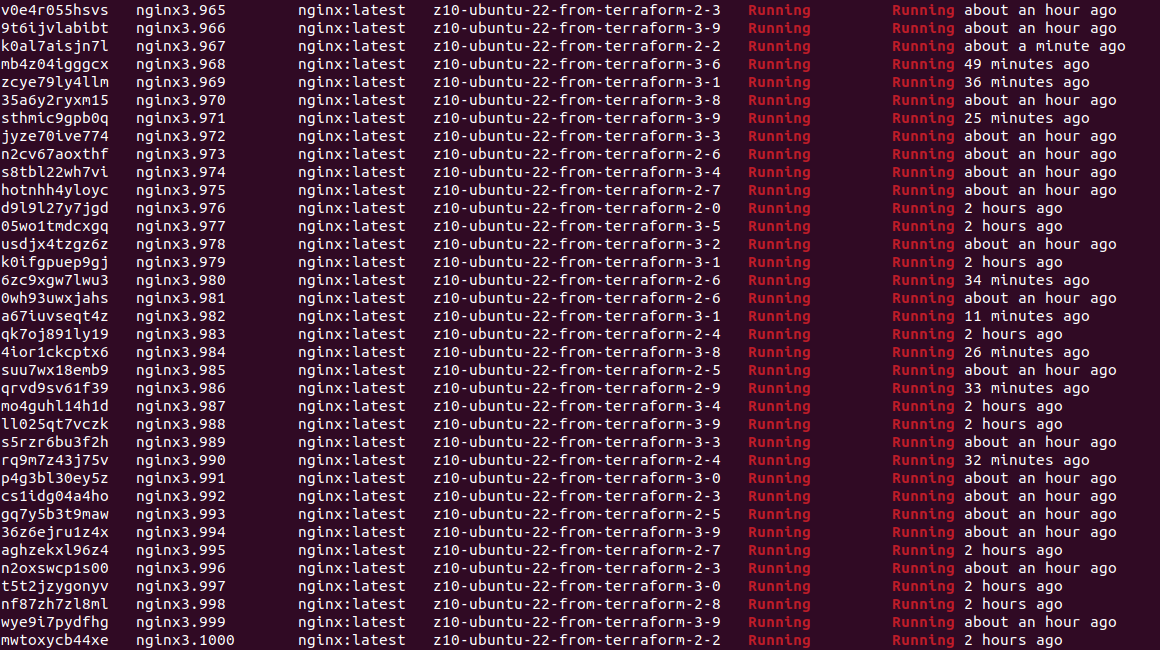
I defined Docker Swarm cluster with 20 nodes and created service using Nginx HTTP server Docker image. I scaled it to 1000 container instances, which took a while on my demo hardware. Containers are up and running but to get such statistics from Portainer CE UI is quite difficult, so I suggest using CLI in such a case:
docker service ps nginx3 | grep Running | wc -l
I got exacly 1000 containers on my service named “nginx3”.
Hardware is not so much utilized, combined 2 servers RAM usage oscillates around 50GB, load stays low as there is not much happening, so even using 20 VM and Docker containers, we do not get too much overhead of using both virtualization and containers. What about trying to spin 2000 or even 10 000 containers… Well, actually without putting load on those containers, measuring it will not be too much useful. We can scale even up to 1 000 000 containers, but what for?