Frigate on ROCm in LXC container
I thought that the best option to run Frigate is to run bare metal and skip virtualization and system containers. However now situation changed a little bit as I was able to fire up Frigate on LXC container on Proxmox with little help of AMD ROCm hardware assisted video decryption.
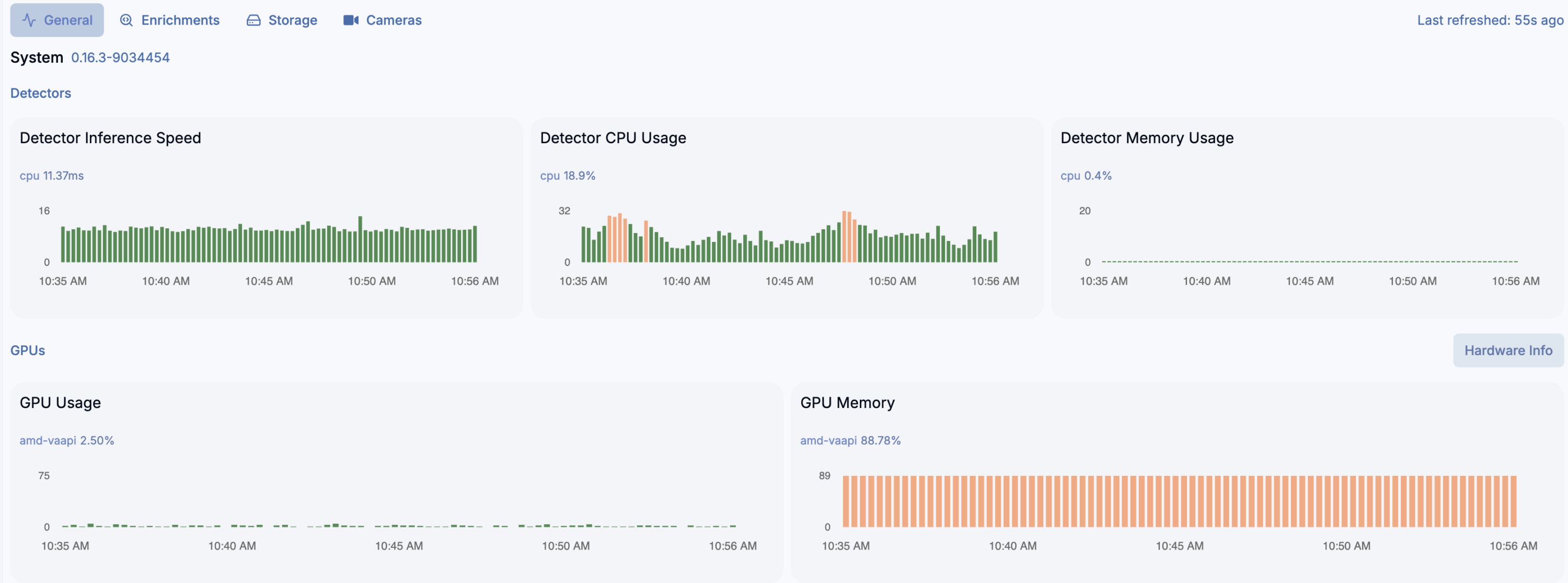
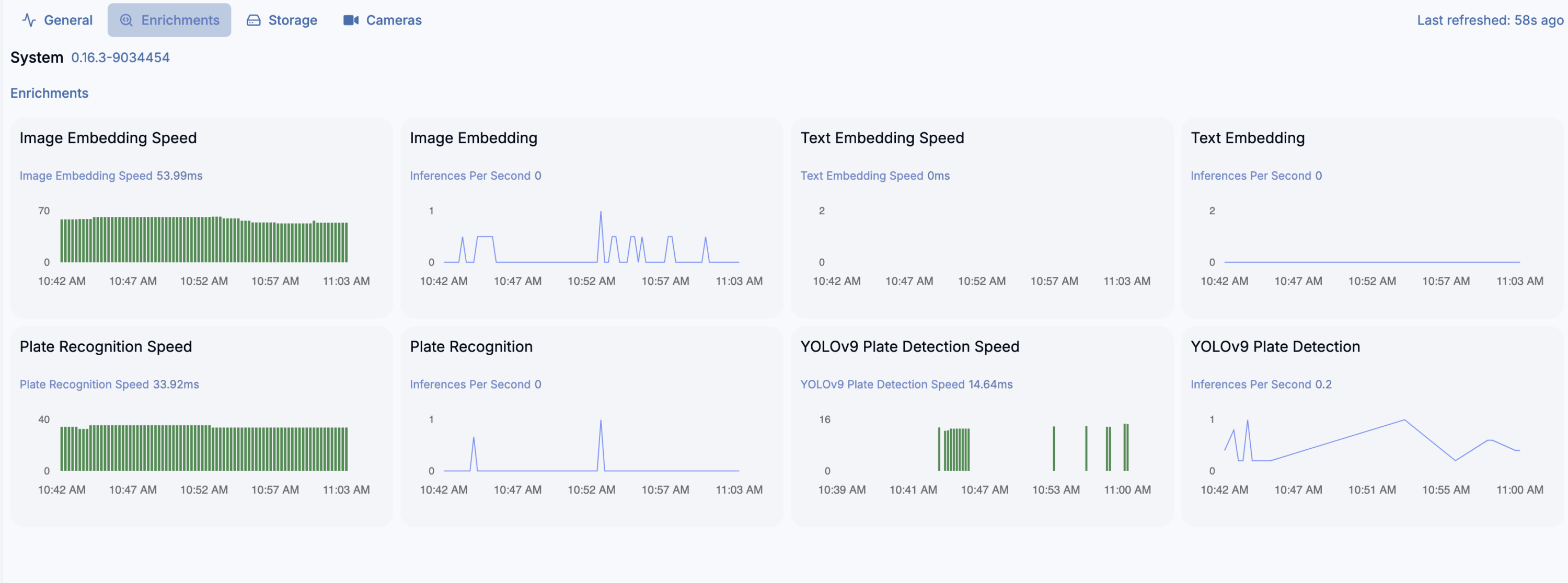
And yes, detection crashes on ONNX and need to run on CPU instead… but video decryption works well. And even more, detection on 16 x AMD Ryzen 7 255 w/ Radeon 780M Graphics (1 Socket) works very well for almost 20 video streams (mixed H264 and H265). You can switch to Google Coral as USB device passed to the LXC container, but what for?
LXC container
You need to have the following settings:
/dev/dri/renderD128
fuse
mknod
nesting
privileged
ROCm installation
https://rocm.docs.amd.com/projects/install-on-linux/en/latest/install/quick-start.html
wget https://repo.radeon.com/amdgpu-install/7.1.1/ubuntu/noble/amdgpu-install_7.1.1.70101-1_all.deb
sudo apt install ./amdgpu-install_7.1.1.70101-1_all.deb
sudo apt update
sudo apt install python3-setuptools python3-wheel
sudo usermod -a -G render,video $LOGNAME # Add the current user to the render and video groups
sudo apt install rocm
Docker CE
# Add Docker's official GPG key:
sudo apt update
sudo apt install ca-certificates curl
sudo install -m 0755 -d /etc/apt/keyrings
sudo curl -fsSL https://download.docker.com/linux/ubuntu/gpg -o /etc/apt/keyrings/docker.asc
sudo chmod a+r /etc/apt/keyrings/docker.asc

# Add the repository to Apt sources:
sudo tee /etc/apt/sources.list.d/docker.sources <<EOF
Types: deb
URIs: https://download.docker.com/linux/ubuntu
Suites: $(. /etc/os-release && echo "${UBUNTU_CODENAME:-$VERSION_CODENAME}")
Components: stable
Signed-By: /etc/apt/keyrings/docker.asc
EOF

sudo apt update
sudo apt install docker-ce docker-ce-cli containerd.io docker-buildx-plugin docker-compose-plugin
Frigate container setup
docker run --name=frigate --privileged --volume /frigate-config:/config --volume /frigate-media:/media/frigate --expose=5000 -p 8554:8554 -p 8555:8555 -p 8555:8555/udp -p 8971:8971 --restart=unless-stopped --device /dev/dri/renderD128:/dev/dri/renderD128 --detach=true --mount type=tmpfs,target=/tmp/cache,tmpfs-size=1000000000 --shm-size=2000m ghcr.io/blakeblackshear/frigate:stable-rocm
Frigate configuration
environment_vars:
  LIBVA_DRIVER_NAME: radeonsi
  HSA_OVERRIDE_GFX_VERSION: 10.3.0

ffmpeg:
  hwaccel_args: preset-vaapi
Further reading
https://forum.proxmox.com/threads/tutorial-run-llms-using-amd-gpu-and-rocm-in-unprivileged-lxc-container.157920/
https://github.com/blakeblackshear/frigate/discussions/5773
https://community.home-assistant.io/t/frigate-coral-usb-proxmox/752563
https://github.com/blakeblackshear/frigate/discussions/18732